Release
CBZ Forge is on the Mac App Store
Converting CBR to CBZ without re-encoding every page, and PDF comics that keep their artwork. Per-page verdicts you can check. Out now on macOS.
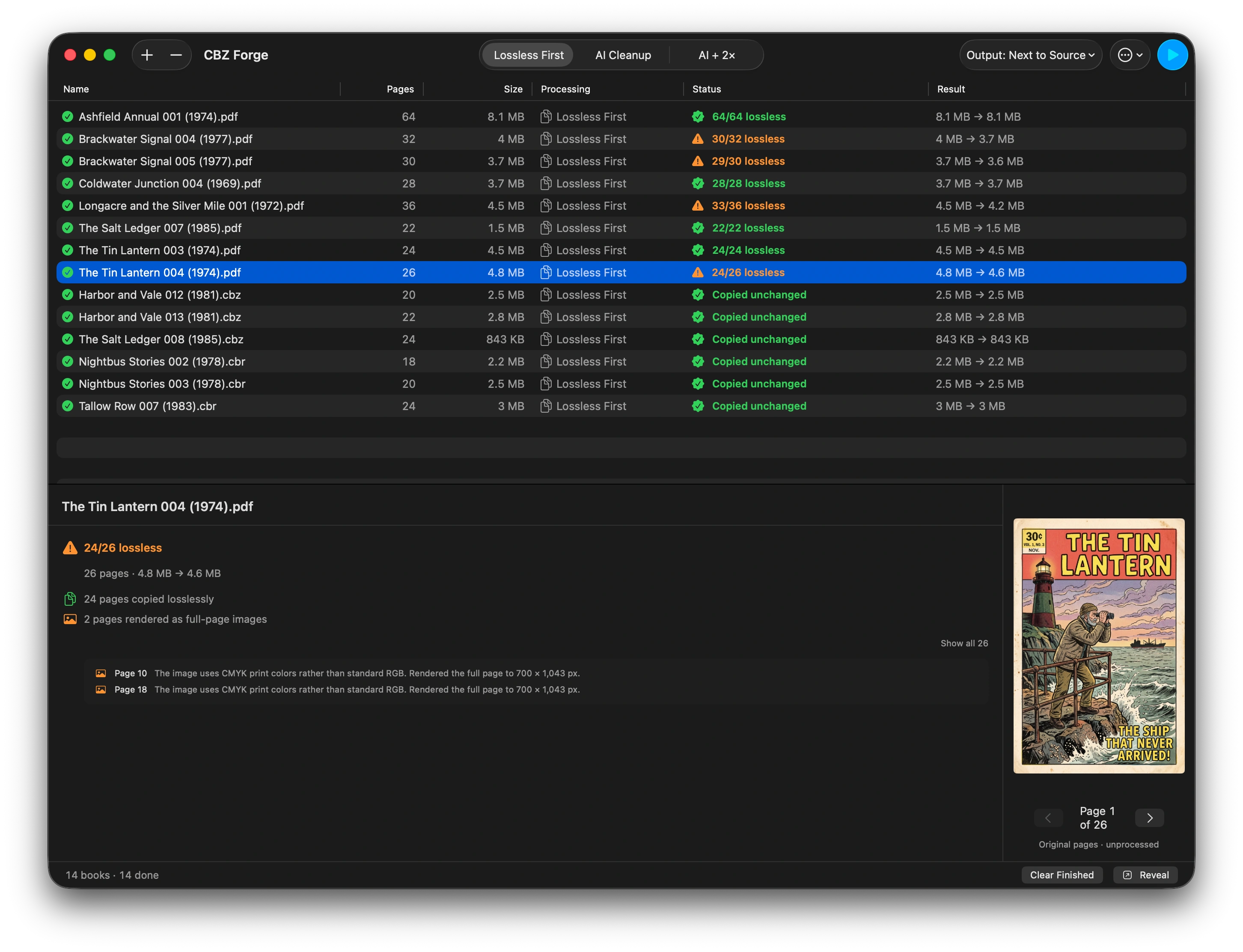
If you have searched for “cbr to cbz without losing quality” or wondered why your last converter turned a clean scan into mush, CBZ Forge is on the Mac App Store today at $9.99.
The problem it was built for
Comic conversion tools have a credibility problem. Most re-encode every page on the way through, quietly, and hand back a file that looks fine until you zoom in on the lettering. You find out months later, on a page you cared about, with the original long since deleted.
The second complaint is metadata. You curate a library, and a converter rewrites your ComicInfo.xml on the way past, so the series, volume, and reading order you fixed by hand are gone.
There are write-ups of both, with the checks you can run yourself: how to tell if your converter re-encoded every page and why your ComicInfo.xml came back different.
Per-page verdicts, not a progress bar
CBZ Forge turns PDF, CBZ, and CBR files into clean CBZ archives, copying each page’s original image across untouched wherever the source allows it. Where it cannot, it says so—which page, and why.
That is the whole design. Every conversion ends in a list you can read: this page was copied, this one was re-encoded because the PDF stored it in a form CBZ cannot carry, this one had to be rendered. The app labels its own output, which means an overreaching claim would be contradicted by the first file a customer opens. That is deliberate.
ComicInfo.xml is carried through rather than rewritten.
The two conversions people actually search for have their own pages: CBR to CBZ on a Mac, which can be done without touching a pixel, and a PDF comic to CBZ, which sometimes can and sometimes cannot—the page explains how to tell which you have.
Also in the box
Batch conversion for a whole shelf at once. An optional AI cleanup pass for scans that need it—clearly marked as such, and never confused with the copy path, because those are different promises.
Everything happens on your Mac. No cloud, no account, no upload.
Requires macOS 26 Tahoe or later.