Release
ClipReady Remux is on the Mac App Store
Final Cut reading your 23.976 file as 23.81? MKV importing silent? ClipReady rewraps video for Final Cut Pro without re-encoding it. Out now.
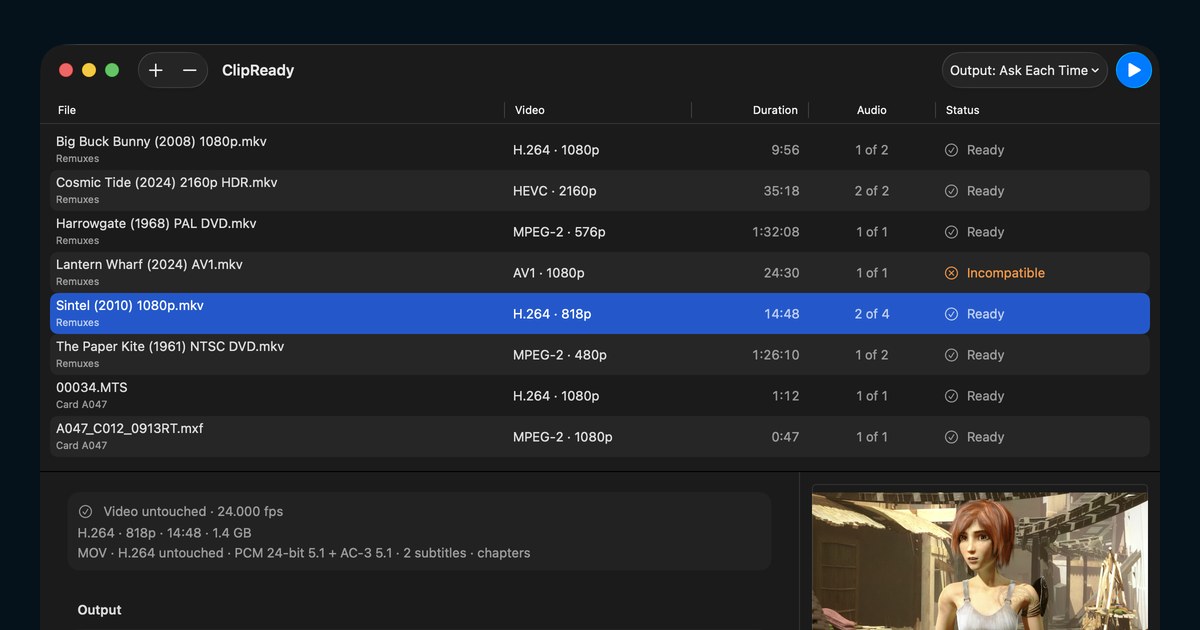
If you have ever typed “final cut 23.81 fps” or “mkv no sound mac” into a search box at eleven at night, this one is for you. ClipReady Remux is on the Mac App Store today at $9.99.
The problem it was built for
Final Cut Pro is particular about containers in ways that are almost impossible to diagnose from the outside. The failures all look like this: the file plays perfectly in QuickTime, VLC, and DaVinci Resolve, and then does something baffling on import.
Five of them come up over and over.
Final Cut reads 23.976 as 23.81. Not a frame rate anyone ever shot. It is 1000 divided by 42—a millisecond timebase rounding a 41.708 ms frame up to 42.
No sound at all from an MKV. The DTS or TrueHD track is fine. macOS just has no decoder for it, so Final Cut imports the picture and nothing else.
5.1 arriving in the wrong speakers, with the dialogue somewhere off to the side, because the channel layout was never named in a way the destination understood.
An NTSC DVD that says 29.97 when the film is 23.976. The disc is carrying film frames with pulldown flags, and the flags are what get ignored.
One garbled frame, same spot every time. An open-GOP boundary the container never marked as a partial sync point. As far as we know nothing else fixes this directly, and the page shows the mechanism and the proof.
What it does about them
ClipReady rewraps MKV, MXF, AVCHD, and other camera and archive formats into MOV or MP4. The video is copied across—never decoded and rebuilt—so the job takes seconds instead of hours and the picture that comes out is the picture that went in.
The part worth paying for is what happens first. ClipReady inspects the file and shows a per-track plan: this video stream will be copied, this DTS track will be converted to PCM and here is why, this subtitle track stays where it is. You approve the plan, then it runs. Nothing is decided silently.
It also repairs the timing faults behind the 23.81 problem, and carries chapters, timecode, and surround layouts across instead of dropping them.
If you are comparing tools
There are honest write-ups of ClipReady versus HandBrake, versus EditReady, and versus plain ffmpeg -c copy. Each one says where the other tool is the better answer, because sometimes it is.
What it is not
ClipReady does not read, rip, or decrypt discs. It works on files you already have. It is not a general-purpose converter, and it will tell you when a file is outside what it handles rather than guessing.
Requires macOS 15 Sequoia or later, Apple silicon.