ReaderMD
Safari Extension · macOS, iOS, iPadOS
Clip the Safari page you’re reading to clean Markdown.
A web clipper for Safari that turns the page you are reading into clean Markdown, with YAML frontmatter, on your Mac, iPhone or iPad. One purchase covers all three. No accounts, no cloud.
Built for anyone who lives in Markdown: Obsidian, Logseq, Bear, or a folder of .md files.
Why it matters
The page you’re reading, as a file you keep.
-
One purchase, every device
Buy ReaderMD once on the Mac App Store and it works in Safari on your Mac, iPhone, and iPad. Universal Purchase, no extra accounts.
-
Dual-engine: Defuddle + Readability
Defuddle and Mozilla Readability run in parallel. We score both results for quality and keep the better one. Defuddle wins on YouTube and Reddit; Readability wins on news and docs.
-
Ready for your notes and your AI
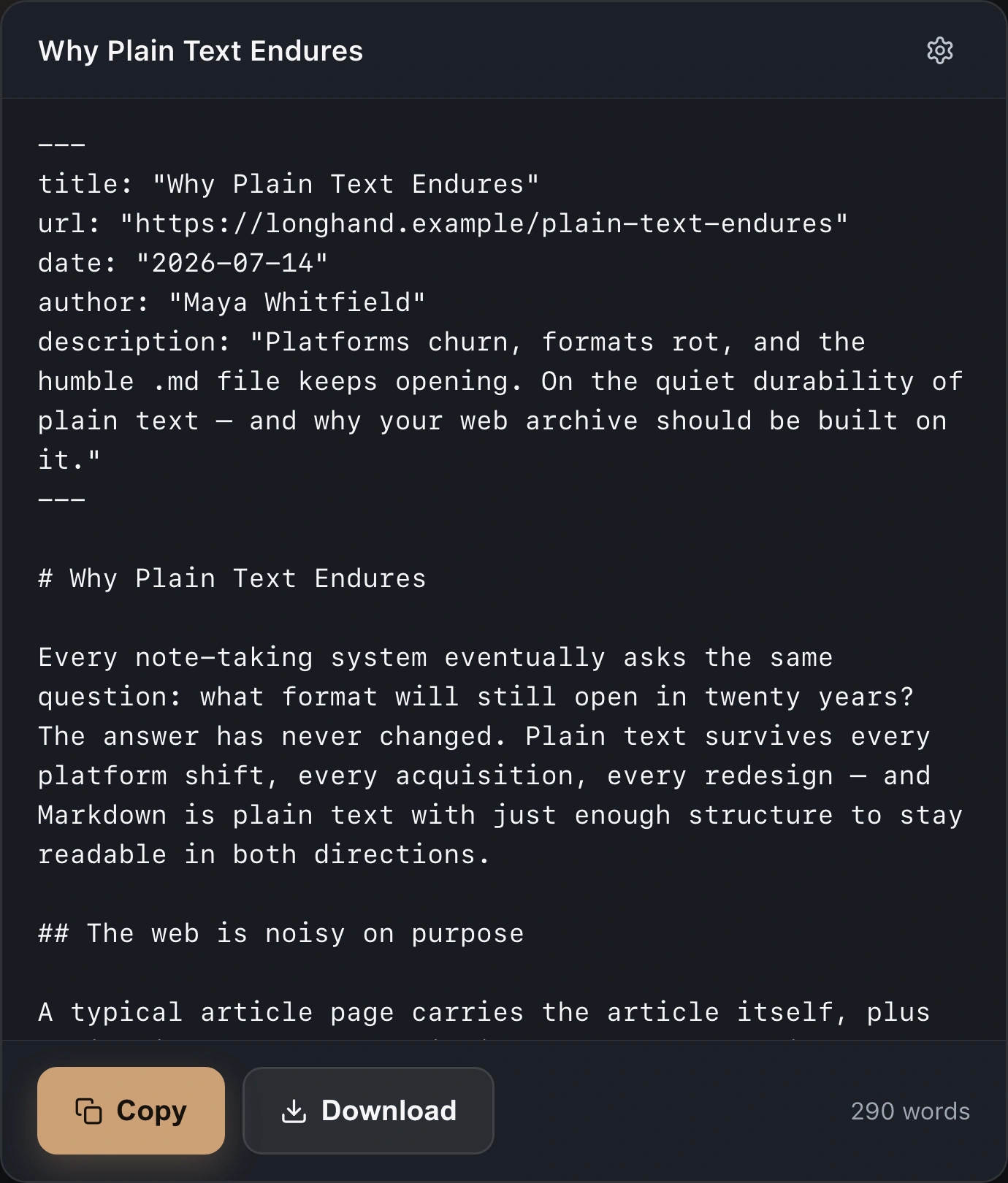
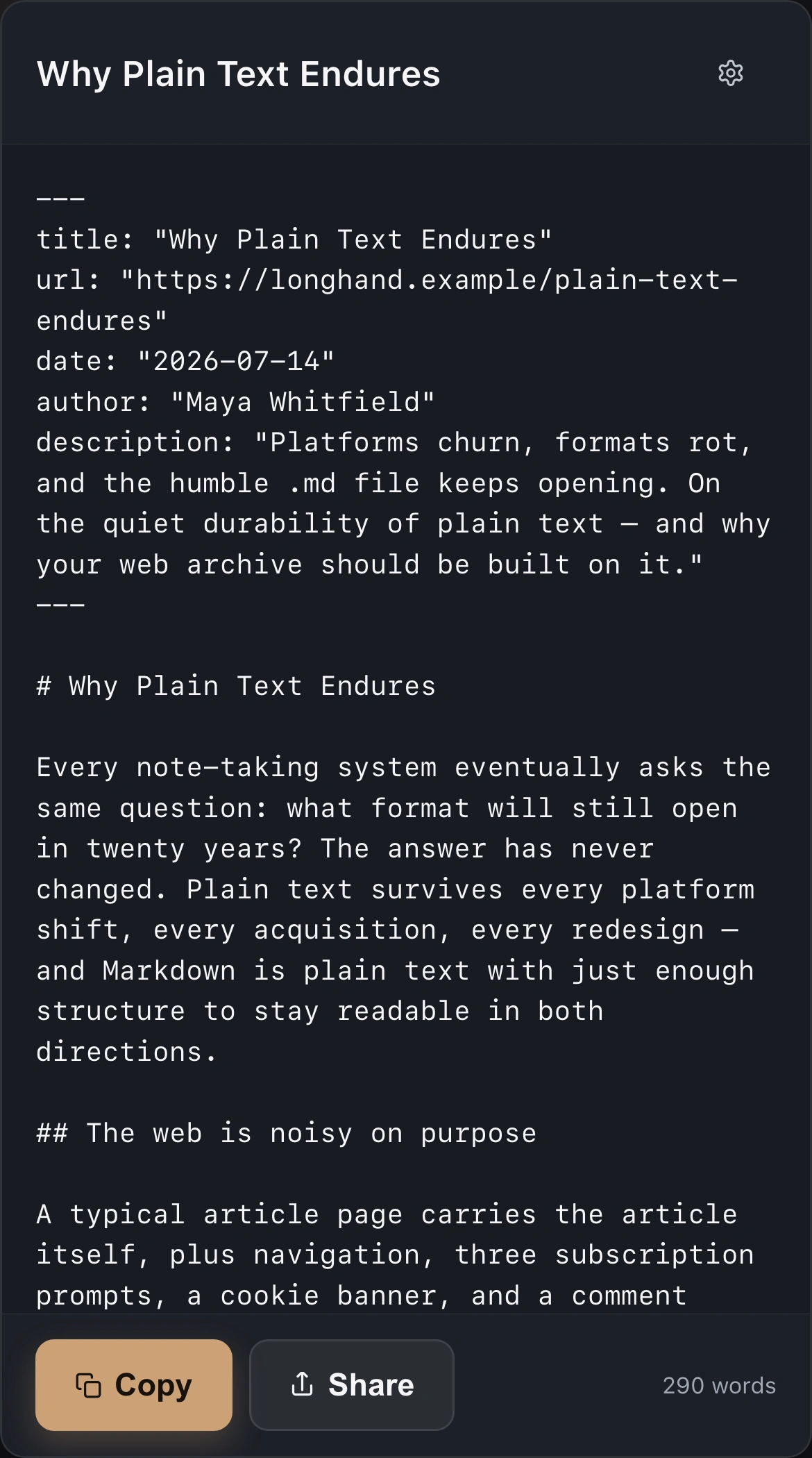
YAML frontmatter with title, author, date, URL, and smart description. Drop it straight into Obsidian, Logseq, or Bear, or paste into Claude, ChatGPT, or Cursor. Markdown is the format LLMs prefer.
-
Local-first by design
No accounts, no cloud processing, no tracking, no analytics. Your browsing data never leaves your device.
Safari web clipper, Mac and iPhone
One click in Safari. Markdown in Downloads.
Under the hood
Two extractors, one answer, and frontmatter you set once.
- Universal Safari extension
- Runs as a Safari Web Extension on macOS 14+, iOS 15.4+, and iPadOS 15.4+. Install on one device, it’s available on all of them via iCloud.
- Two extractors, one answer
- Defuddle and Mozilla Readability run in parallel. A quality score (word count penalized by link density and paragraph fragmentation) picks the better result for every page.
- Multi-tier fallback chain
- If both engines choke, ReaderMD falls back through semantic selectors, paragraph collection, and selected-text extraction. You always get something usable.
- CJK-aware extraction
- Properly handles Chinese, Japanese, and Korean sites with language-aware word counting, the same technique Safari Reader uses internally.
- Configurable frontmatter
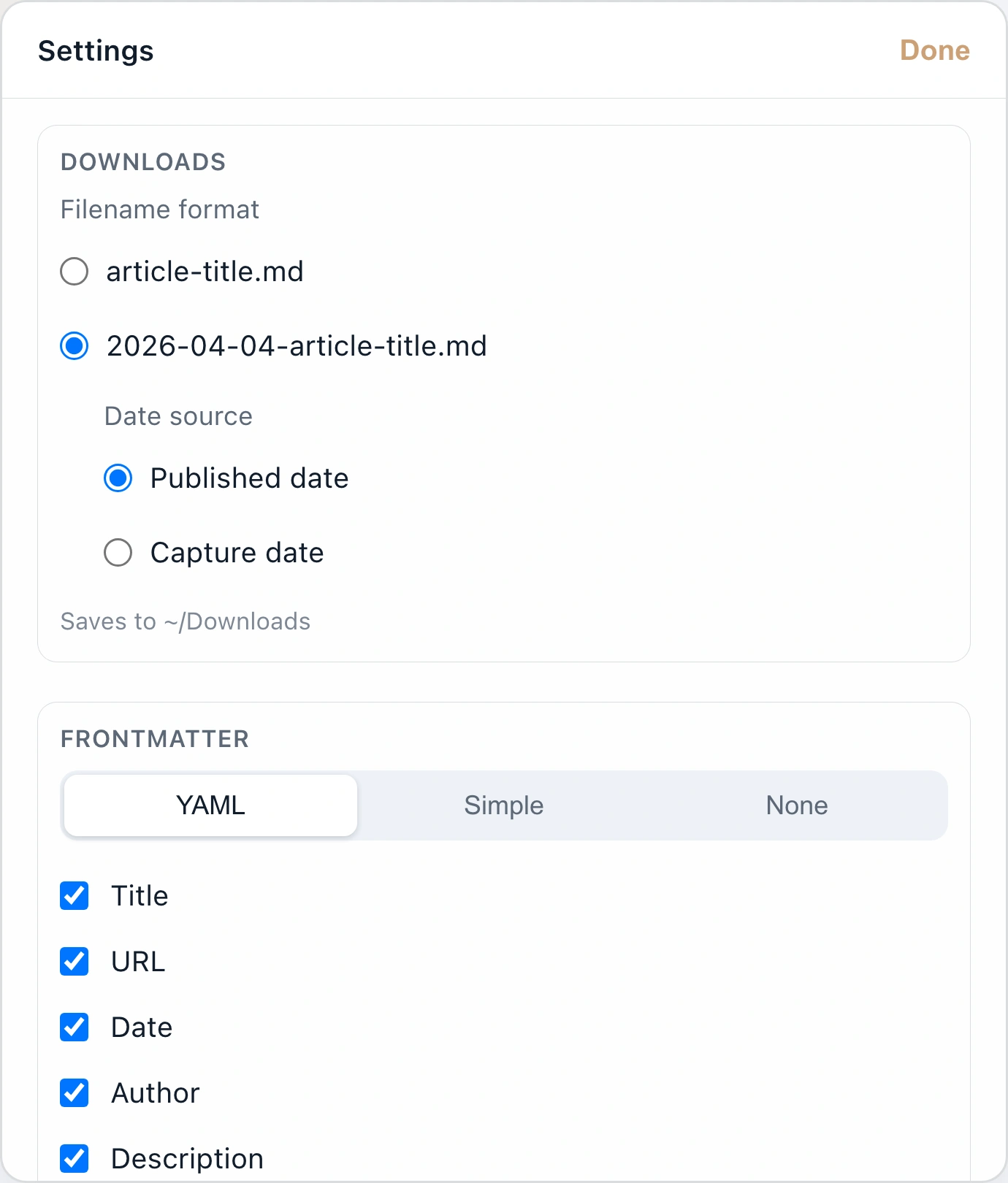
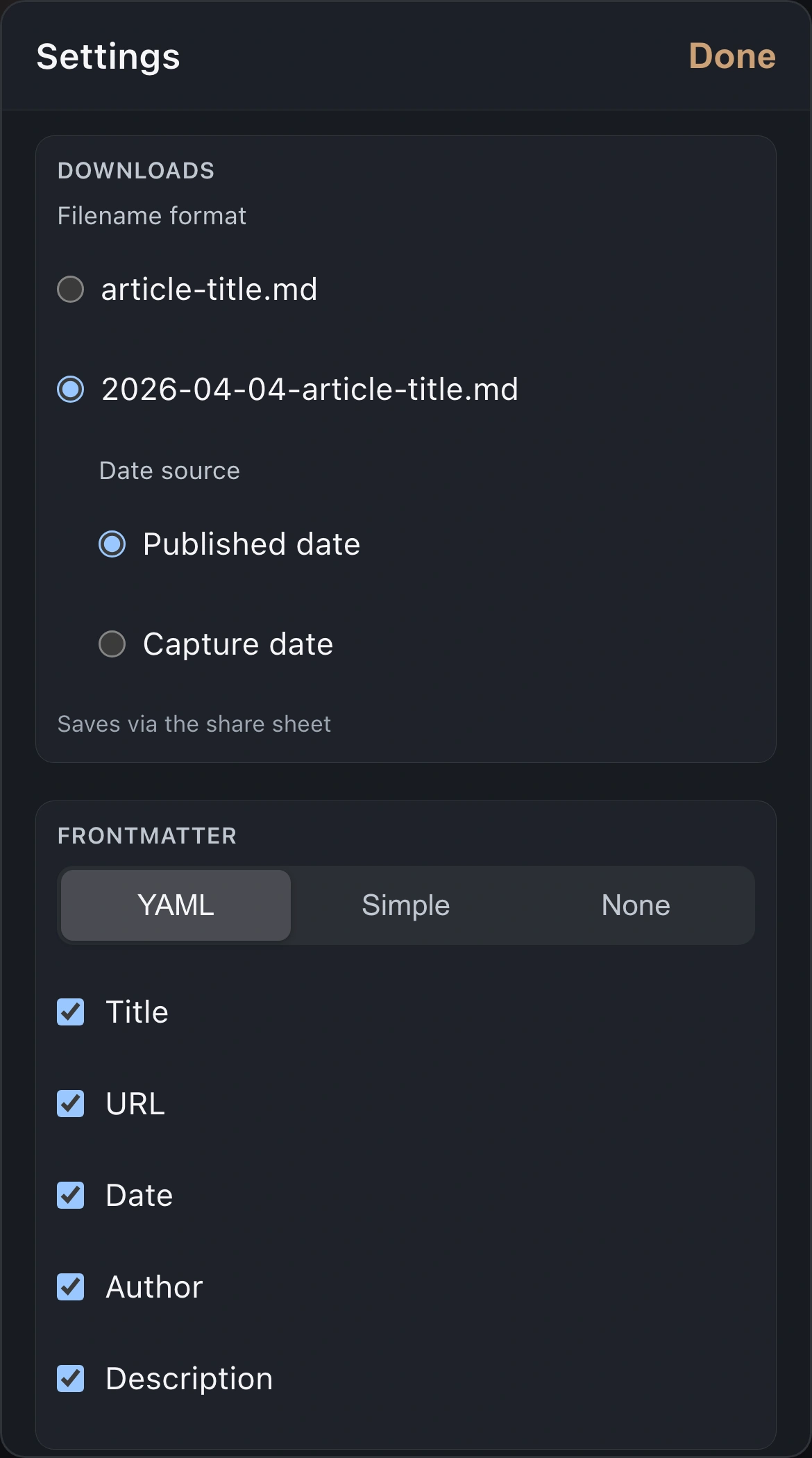
- YAML, Simple, or None. Pick which fields to include: title, URL, date, author, description. Smart description filtering skips generic taglines like "YouTube" or "New York Times."
- Keyboard-first popover
- Command-C to copy, Command-S to save, right from the popover. No mouse round-trip.
- Filename templates + reveal in Finder
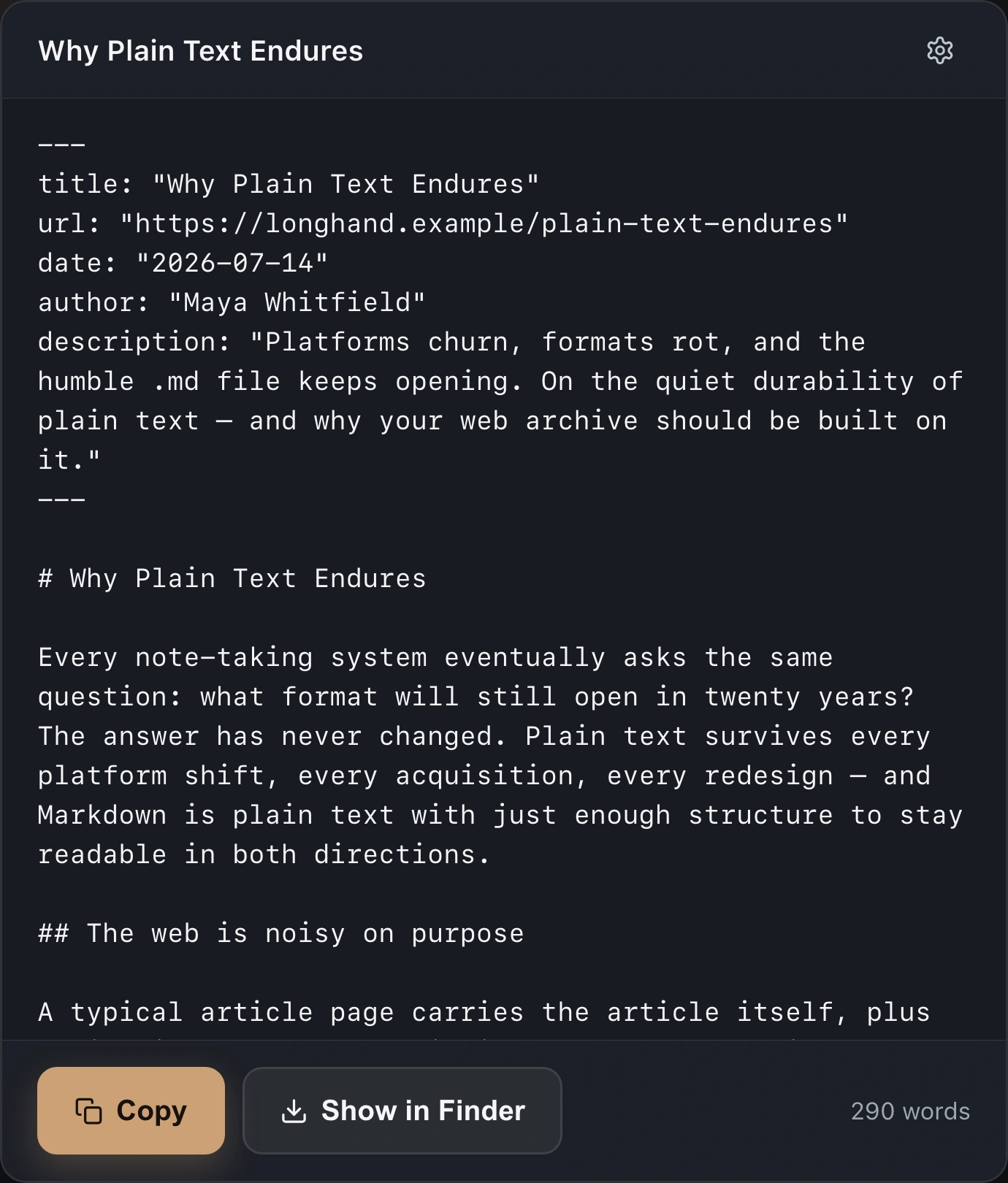
- Slug or date-slug filename formats. Files save straight to Downloads; after save, a one-click "Show in Finder" button reveals the file. (Mac only.)
- Lightweight Markdown cleanup
- A 10-rule post-processor normalizes whitespace, headings, CommonMark code blocks, and lists without bloating the output.
- Works on most sites
- News, blogs, documentation, and reference sites. When automatic extraction fails on an unusual layout, select text on the page and clip your selection as Markdown.
Copy-paste vs. clip
What lands in your notes.
The usual result
- A paste with messy formatting, broken links, and no metadata.
- Cleanup that takes longer than reading the article.
- An account, a sync service, and your reading history on someone else’s server.
- One tool on the desktop, another on the phone, or no mobile option at all.
ReaderMD
- Clean Markdown with proper headings, links, lists, and YAML frontmatter, in one click.
- A file ready to drop into your notes app.
- Fully local. Nothing leaves your device.
- One purchase works in Safari on Mac, iPhone, and iPad.
Before you buy
Devices, sites, and what it can’t do.
- Does one purchase really work on all my Apple devices?
- Yes. ReaderMD ships as a Safari Web Extension with Universal Purchase. Buy it once on the Mac App Store and it’s available in Safari on your iPhone, iPad, and Mac via iCloud. No separate downloads, no sign-ins. Settings stay local per device.
- Can I use it as an Obsidian web clipper?
- Yes, that is the main way people use it. ReaderMD saves an article to Markdown with YAML frontmatter already filled in, so the file drops straight into your vault with title, URL, date and author intact. It works the same for Logseq, Bear, or a plain folder of .md files.Setting up the frontmatter and filename
- Does it work on all sites?
- It works on most article-style pages: news (CNN, NYT, The Verge), blogs (Medium, Substack, WordPress), documentation (Apple Developer, MDN), and reference (Wikipedia). Some JavaScript-rendered single-page sites (MSN is the one we hear about most) build their article after ReaderMD reads the page, and extraction returns little or nothing. When that happens—or on any unusual layout—select the text you want and click ReaderMD. Your selection is captured as formatted Markdown.Why a clip comes back empty, and the fix
- What about paywalled content?
- ReaderMD can only extract content that is visible in your browser. If you’re logged in and can see the article, ReaderMD can extract it. It cannot bypass paywalls.
- Does it work offline?
- The extension itself works without an internet connection, but you need a webpage loaded in Safari to extract from.
- Is my data uploaded anywhere?
- No. ReaderMD processes everything locally. No data is sent to any server.
- How is this different from Safari Reader?
- Safari’s reader mode makes a page pleasant to read and then leaves it there. ReaderMD is a Safari reader extension that gives you the file: it runs the same class of extraction, then hands you Markdown you can save, version, and search. Think of it as a Markdown reader mode: the same clean article, with an export button.
- What is frontmatter?
- Frontmatter is structured metadata at the top of a Markdown file. ReaderMD can add YAML frontmatter with the article title, URL, date, author, and description. That makes it a usable YAML frontmatter extractor for note apps like Obsidian.
- Can I use this with ChatGPT, Claude, or other AI tools?
- Yes. It’s one of the best ways to prep web content for LLMs. Markdown preserves structure (headings, lists, code blocks) without HTML noise, and the output is significantly more token-efficient than pasting raw page content. Clip with ⌘-C, then paste into Claude, ChatGPT, Cursor, Copilot, or any local model. ReaderMD itself doesn’t talk to any AI. It just gives you the cleanest possible text to hand over.