Syntax Look
Quick Look Extension · macOS
Press Space. Read real, highlighted code.
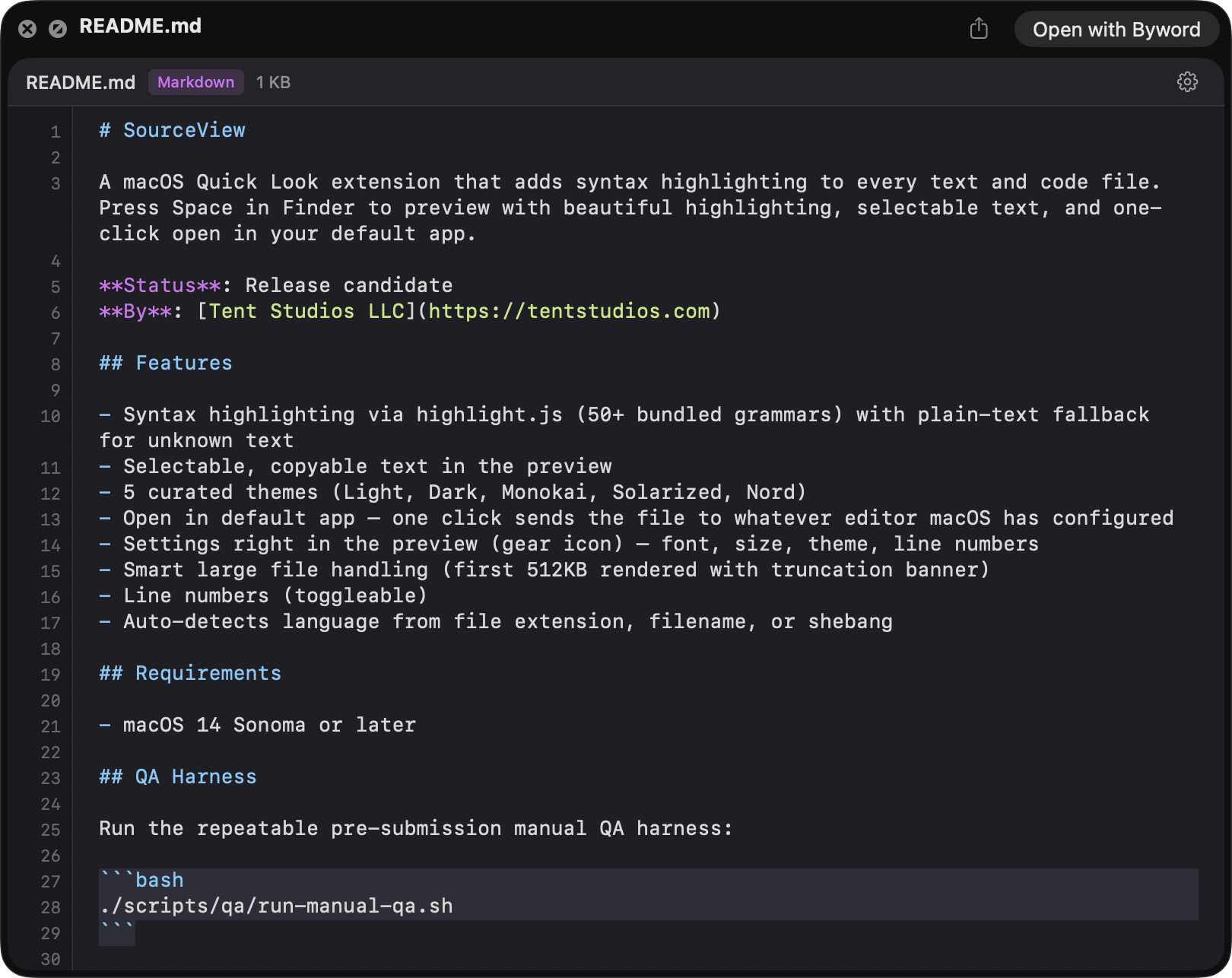
Syntax highlighting for 130+ file types, with selectable text, line numbers, and five curated themes. One click opens the file in your default app—no IDE required, just Finder.
Built for reading code fast—before you ever open an IDE.
Why it matters
What Syntax Look does for you
-
Press Space, read real code
Inspect files without launching an IDE. No perceptible lag on typical source files—Quick Look stays Quick Look.
-
Native rendering, AI-ready text
Tokenized with highlight.js, drawn to native NSTextView—not a web view. Real text selection means you can press Space, read, and copy a function straight into Claude, Cursor, or Copilot. No blank-screen crashes, full AppKit polish.
-
Themes and type you control
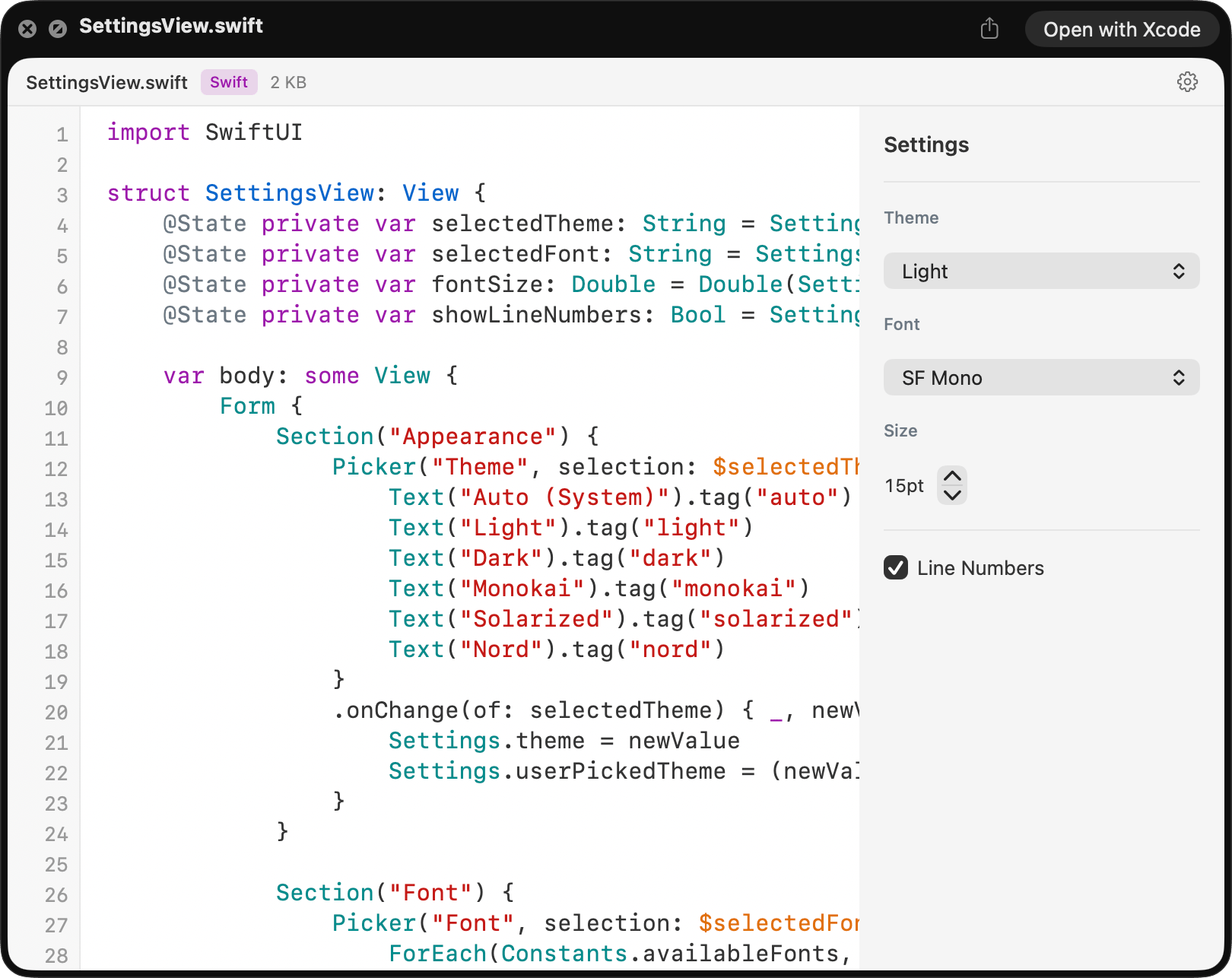
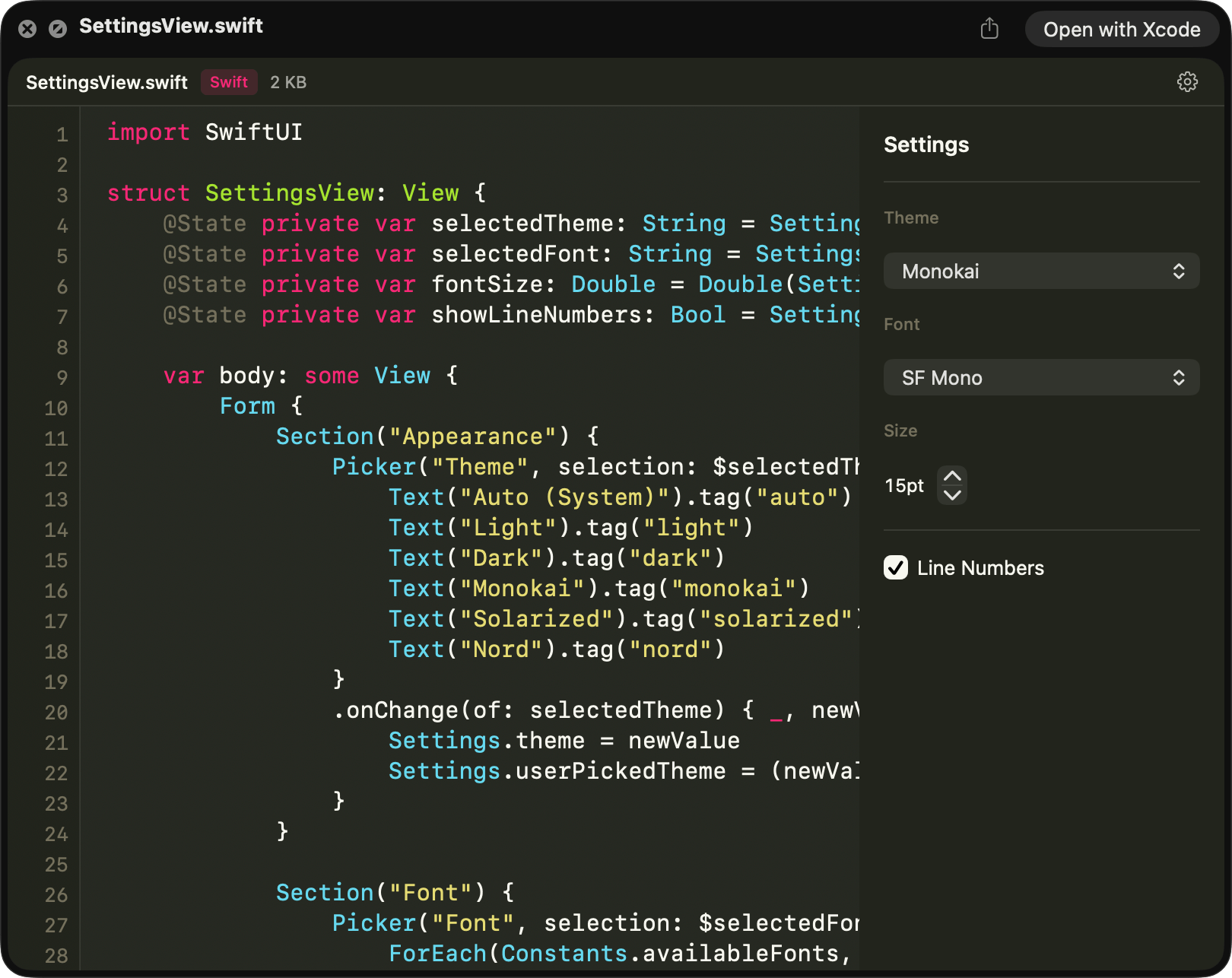
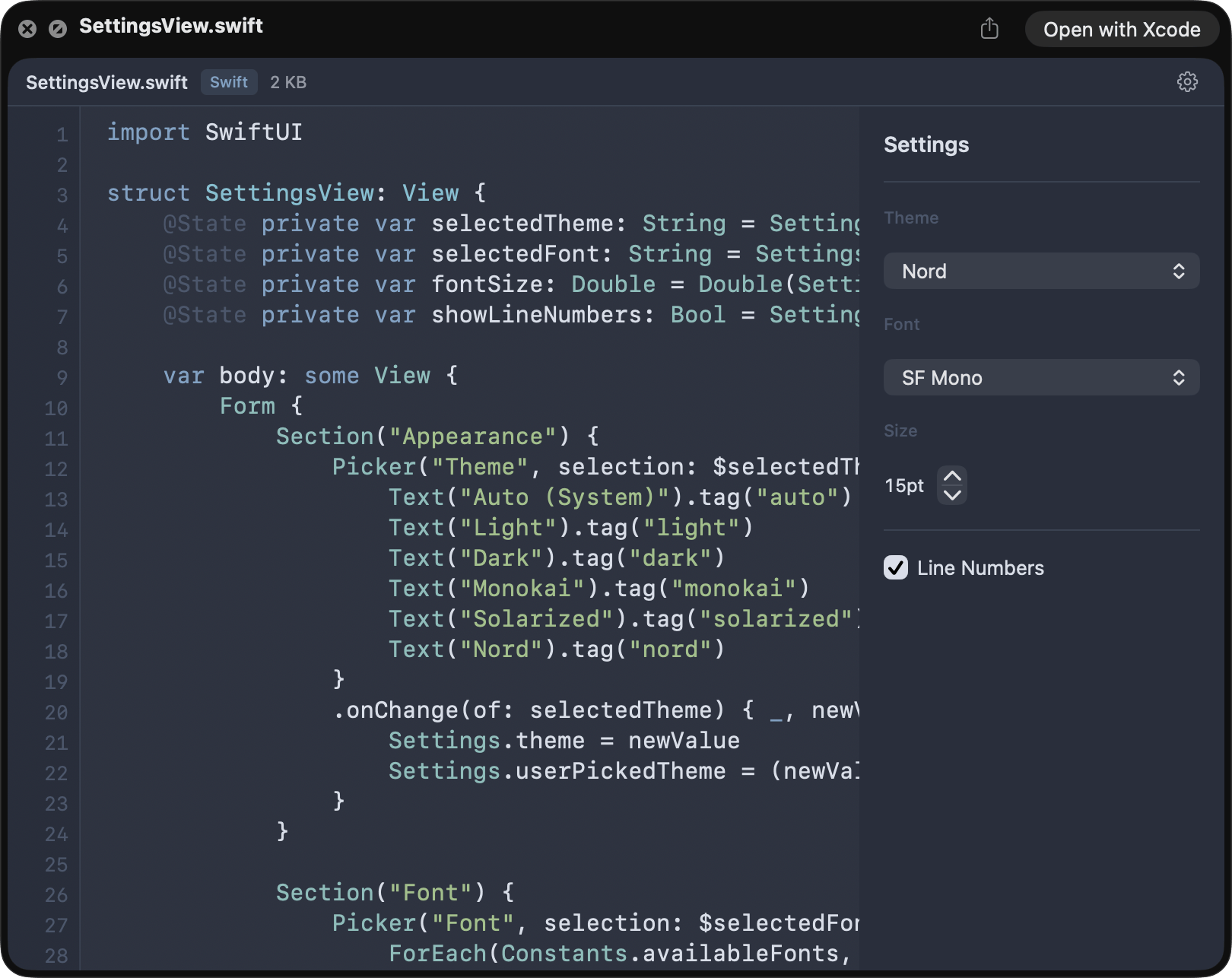
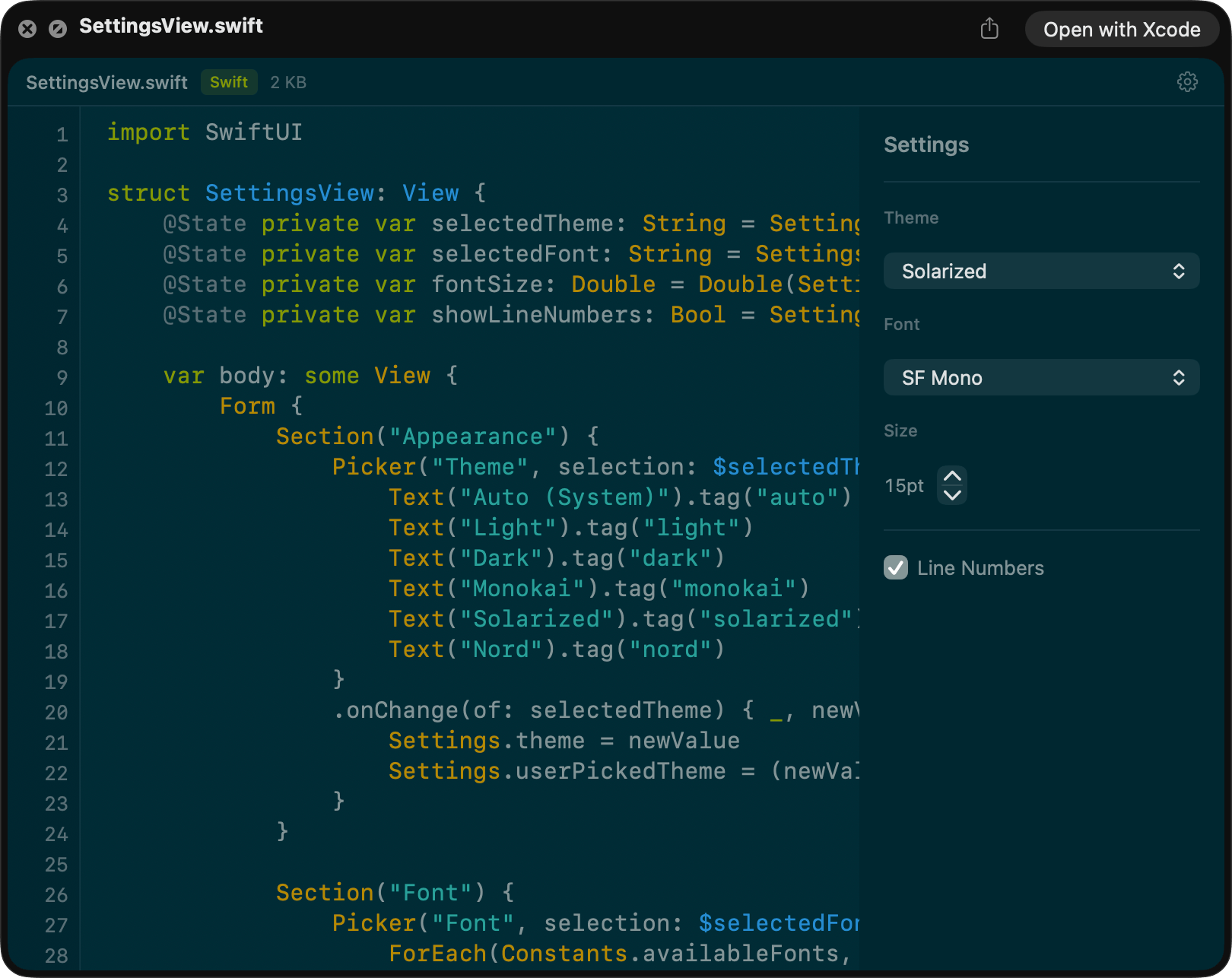
Five curated themes (Light, Dark, Monokai, Solarized, Nord), live switching from inside the preview, monospace font picker limited to what’s actually installed on your Mac.
-
Minimal sandbox
App Group entitlements only. No blanket file access, no network, no Accessibility permissions, no analytics. Your code never leaves your Mac.
See it in action
Press Space. Pick a theme.
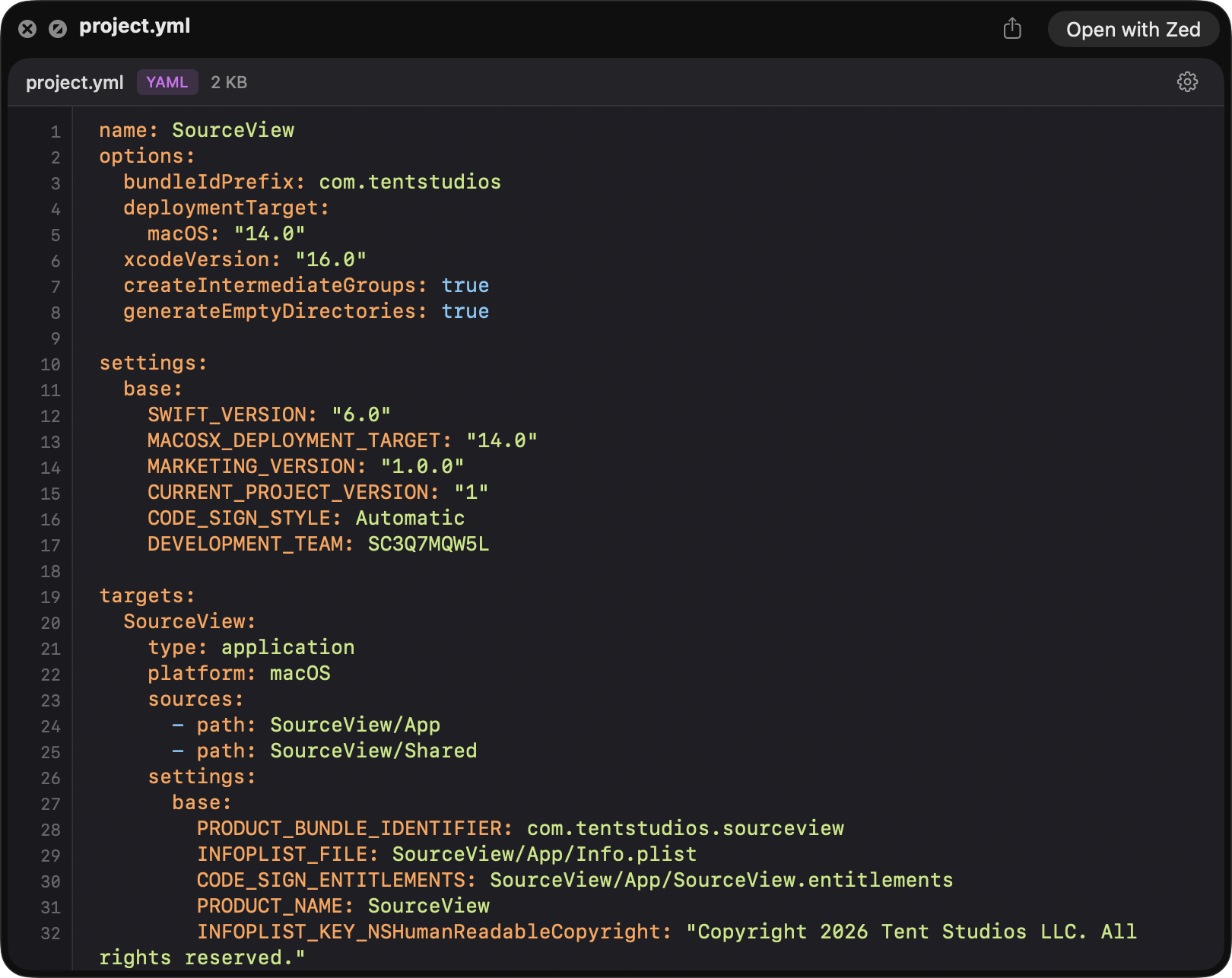
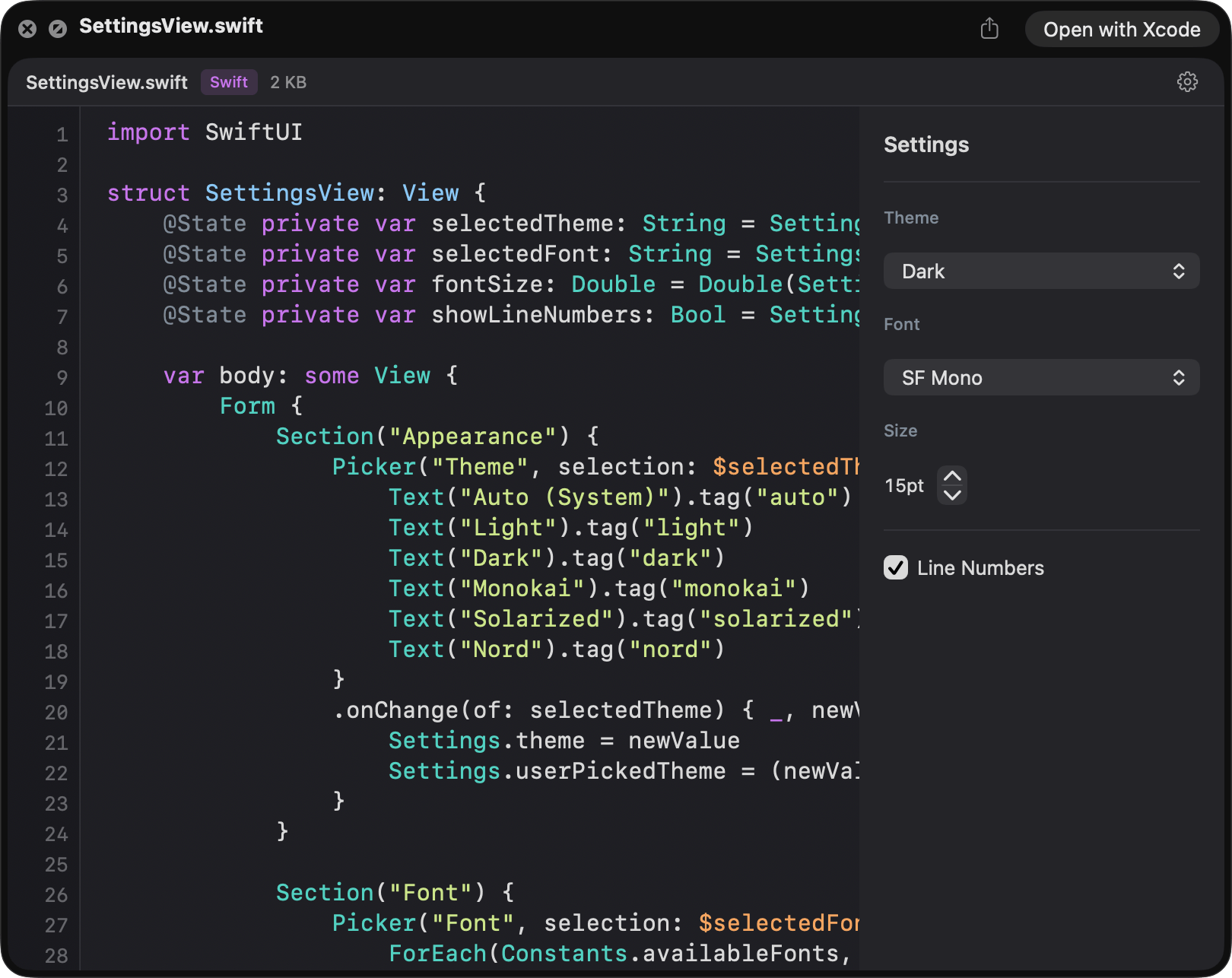
Dark theme
Features
Built for real workflows
- 130+ file types out of the box
- Syntax Look attempts a preview for any text-based file. Swift, Python, JS/TS, Rust, Go, Ruby, PHP, Java, C/C++, HTML, CSS, JSON, YAML, TOML, Markdown, and dozens of lock files, config files, and special filenames—plus anything else that’s UTF-8 text.
- Native rendering, not a web view
- Syntax Look tokenizes with highlight.js in JavaScriptCore, then draws to a real NSTextView. No WKWebView means no blank-screen crashes under memory pressure and full native text selection and Accessibility support.
- Fast on small files, careful on big ones
- Typical source files render with no perceptible lag. Files between 512 KB and 2 MB render the first 512 KB in lazy 96 KB chunks with a truncation banner so Quick Look stays responsive. Files over 2 MB show an info card only.
- Smart encoding detection
- Detects UTF-8 with BOM, UTF-16 LE/BE with and without BOM, CP1252, ISO-Latin-1, and ASCII. Truncation is safe around multi-byte UTF-8 boundaries—you never see half a character.
- Binary-safe for ambiguous extensions
- macOS can route plain `.ts` and `.mts` files to MPEG transport stream handlers. Syntax Look detects and rejects binary payloads before rendering so you get a clean fallback instead of garbled output.
- Five curated themes, live switching
- Light, Dark, Monokai, Solarized, and Nord. Change themes in the preview—everything re-renders instantly, no app to open.
- Toggleable line numbers
- Native AppKit ruler view, not a pseudo-element. Snaps on and off from the preview gear menu.
- Open in your default app
- One click opens the file in whatever app you’ve set as the default for that file type—your editor, IDE, or viewer. macOS already knows; no configuration required. Settings persist via an App Group so the container app and the Quick Look extension stay in sync.
- Configurable typography
- SF Mono, Menlo, Fira Code, JetBrains Mono, and more. The font picker only shows monospace fonts actually installed on your Mac—no silent fallbacks. Size 10–20 pt.
- Minimal sandbox, maximum privacy
- The Quick Look extension declares only App Group entitlements—no blanket file-system access, no network, no Accessibility permissions, no analytics. Universal binary for Apple silicon and Intel.
Supported file types
130+ file types. And if it’s text, we’ll try.
- Source code
-
- Swift (.swift)
- C / C++ (.c, .h, .cpp, .cc, .cxx, .hpp, .hxx)
- Objective-C (.m, .mm)
- Java (.java)
- Kotlin (.kt, .kts)
- Groovy (.groovy, .gradle)
- Scala (.scala)
- Python (.py, .pyw)
- Ruby (.rb)
- Perl (.pl, .pm)
- PHP (.php)
- Lua (.lua)
- R (.r)
- Rust (.rs)
- Go (.go)
- Dart (.dart)
- Zig (.zig)
- C# (.cs)
- F# (.fs)
- VB.NET (.vb)
- Haskell (.hs)
- Elixir (.ex, .exs)
- Erlang (.erl)
- Clojure (.clj)
- OCaml (.ml)
- Web
-
- JavaScript (.js, .mjs, .cjs)
- JSX (.jsx)
- TypeScript (.tsx, .cts)
- HTML (.html, .htm)
- CSS (.css)
- SCSS (.scss)
- Sass (.sass)
- Less (.less)
- Vue (.vue)
- Svelte (.svelte)
- Astro (.astro)
- Config & data
-
- JSON (.json, .jsonc, .json5)
- YAML (.yaml, .yml)
- TOML (.toml)
- XML (.xml)
- INI / config (.ini, .cfg, .conf)
- Properties (.properties)
- Environment (.env, .env.local, .env.production)
- CSV / TSV (.csv, .tsv)
- Plist (.plist)
- Web manifest (.webmanifest)
- Databases & query
-
- SQL (.sql)
- GraphQL (.graphql, .gql)
- Prisma (.prisma)
- Protobuf (.proto)
- Docs & markup
-
- Markdown (.md)
- MDX (.mdx)
- reStructuredText (.rst)
- LaTeX (.tex, .latex)
- DevOps & infrastructure
-
- Dockerfile
- Terraform (.tf)
- HCL (.hcl)
- Nix (.nix)
- CMake (.cmake)
- Jenkinsfile
- Apple / Xcode
-
- Entitlements (.entitlements)
- Xcode config (.xcconfig)
- Project (.pbxproj)
- Storyboard (.storyboard)
- XIB (.xib)
- Strings (.strings, .stringsdict)
- Module map (.modulemap)
- Podspec / Gemspec
- Special files
-
- Makefile, GNUmakefile, CMakeLists.txt
- Gemfile, Rakefile, Podfile, Brewfile
- Vagrantfile, Procfile, Fastfile, Justfile
- .gitignore, .gitattributes, .gitmodules
- .dockerignore, .editorconfig
- .prettierrc, .eslintrc, .babelrc, .swiftlint.yml
- Lock & version files
-
- package-lock.json, yarn.lock, pnpm-lock.yaml
- Cargo.lock, go.sum, go.mod
- Gemfile.lock, Podfile.lock, Package.resolved
- .ruby-version, .node-version, .tool-versions
- Misc
-
- Diff / patch (.diff, .patch)
- Log (.log)
- Vim script (.vim)
Before & after
The difference, at a glance
Without Syntax Look
- Finder Quick Look for code is plain and hard to scan.
- You have to open an IDE just to inspect a file.
- No way to copy snippets from a preview.
- Most Quick Look extensions ask for broad permissions to do their job.
With Syntax Look
- Readable, highlighted code with your theme and font of choice.
- Press Space. Read. Move on.
- Selectable, copyable text with one click to open in your default app.
- App Group entitlements only. Nothing to grant, nothing to leak.
FAQ
Common questions
- Does this replace my editor?
- No. Syntax Look is for quick inspection and triage. Read the file in Quick Look, grab the snippet you need, then click "Open in default app" when you’re ready to edit—macOS sends it to whatever editor you’ve configured as the default for that file type.
- Does it support TypeScript?
- Yes for text-based TypeScript files. `.tsx` and `.cts` are generally reliable. On some systems, plain `.ts` and `.mts` may be routed by macOS as MPEG transport streams—Syntax Look detects and rejects media payloads safely.
- Does it work offline?
- Yes. Syntax Look is fully local. No network access is ever required.
- Is my code uploaded anywhere?
- No. All processing happens on your Mac using a bundled highlight.js runtime in JavaScriptCore.
- Does it help with AI-assisted coding?
- Yes—that’s a core reason to have it. Native text selection means you can press Space on a file, read with syntax highlighting, select the function or error message you need, ⌘-C, and paste straight into Claude, Cursor, Copilot, or any LLM chat. No editor launch, no file open. Syntax Look itself doesn’t talk to any AI—it just makes the read-select-copy loop fast enough to be worth it.
- Which Macs does it support?
- macOS 14 Sonoma or later, on both Apple silicon and Intel Macs. Universal binary.