
Syntax Look
Quick Look Extension · macOS
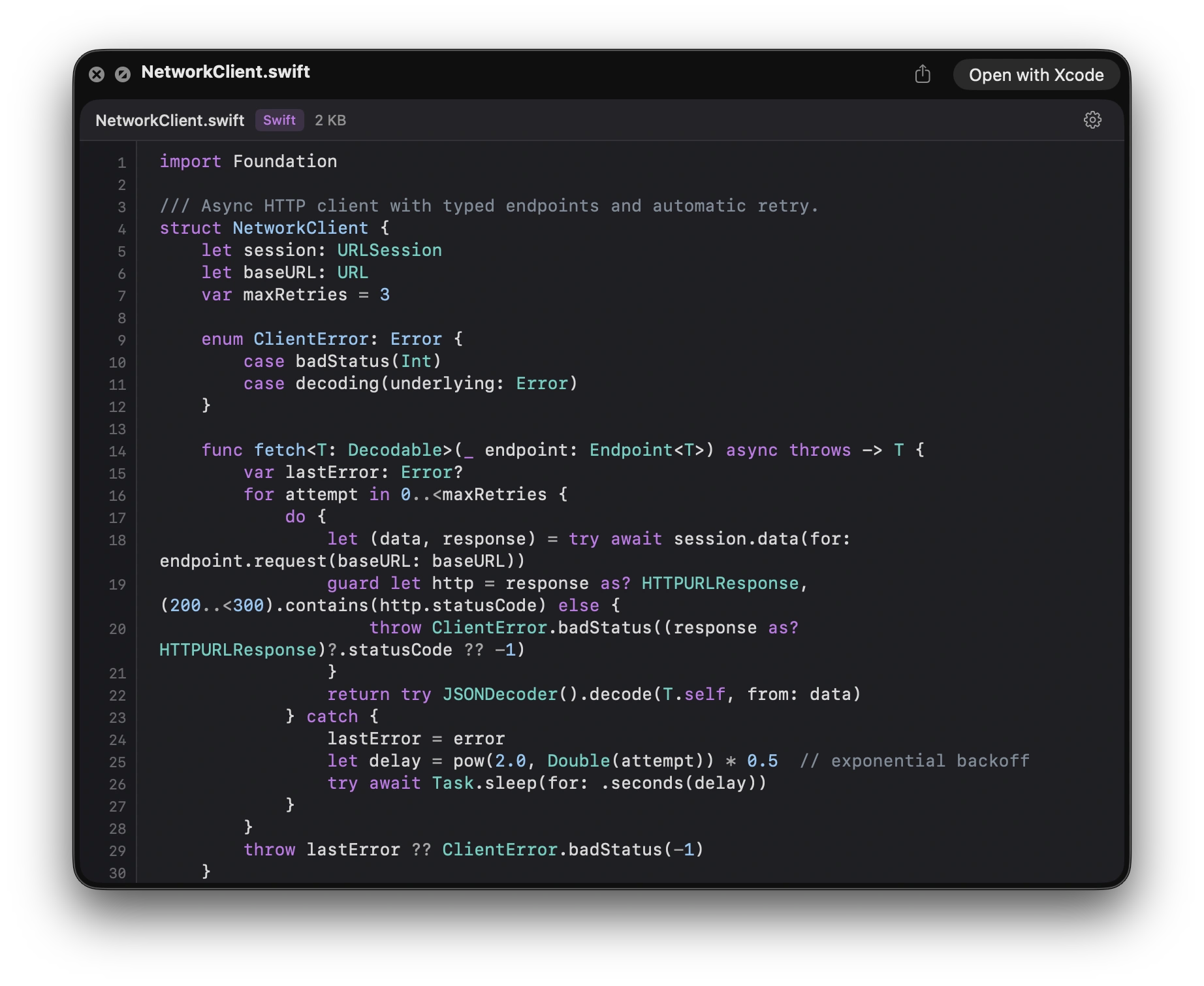
Press Space. Read real, highlighted code.
Syntax highlighting for 150+ file types, with selectable text, line numbers, and five curated themes. Read it, copy what you need, keep moving. No IDE required, just Finder.
Built for reading code fast, before you ever open an IDE.
Requires macOS 14 (Sonoma) or later · Apple silicon and Intel · One-time setup: System Settings → General → Login Items & Extensions → Quick Look
Why it matters
Read the file without opening it.
-
Press Space, read real code
Inspect files without launching an IDE. No perceptible lag on typical source files. Quick Look stays Quick Look.
-
Native rendering, AI-ready text
Tokenized with highlight.js, drawn to native NSTextView, not a web view. Real text selection means you can press Space, read, and copy a function straight into Claude, Cursor, or Copilot. No blank-screen crashes, full AppKit polish.
-
Themes and type you control
Five curated themes (Light, Dark, Monokai, Solarized, Nord), live switching from inside the preview, monospace font picker limited to what’s actually installed on your Mac.
-
Minimal sandbox
App Group entitlements only. No blanket file access, no network, no Accessibility permissions, no analytics. Your code never leaves your Mac.
See it in action
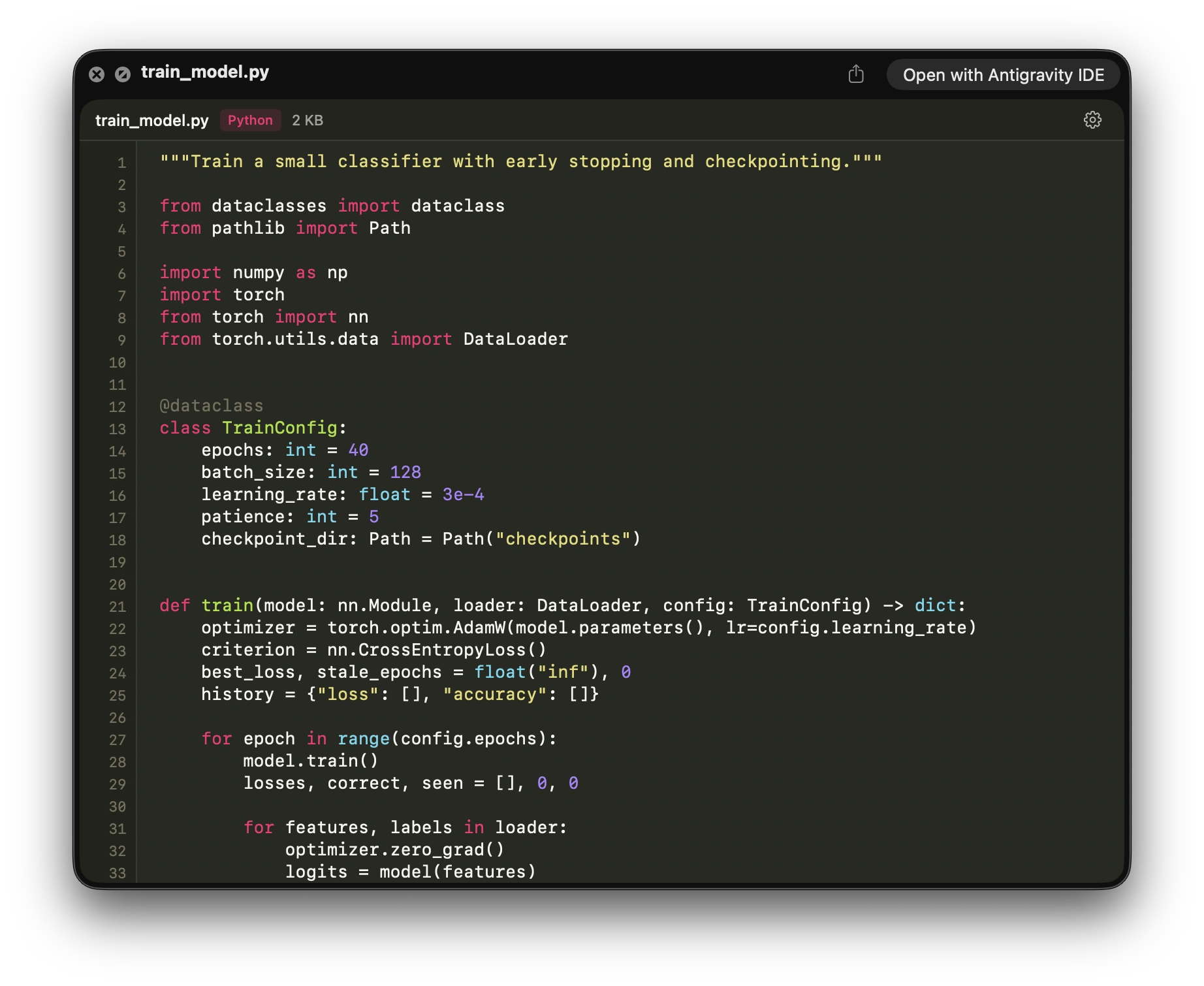
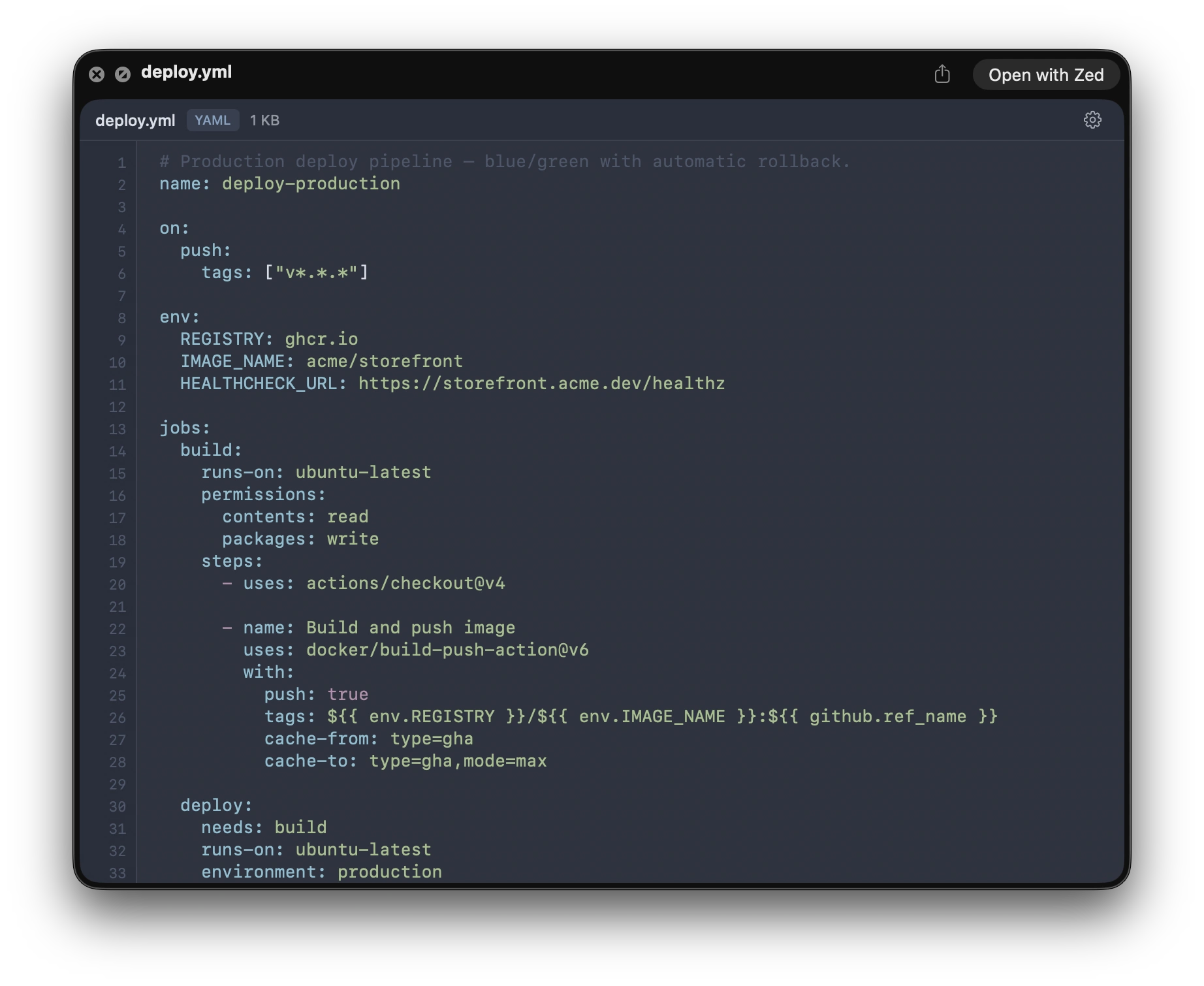
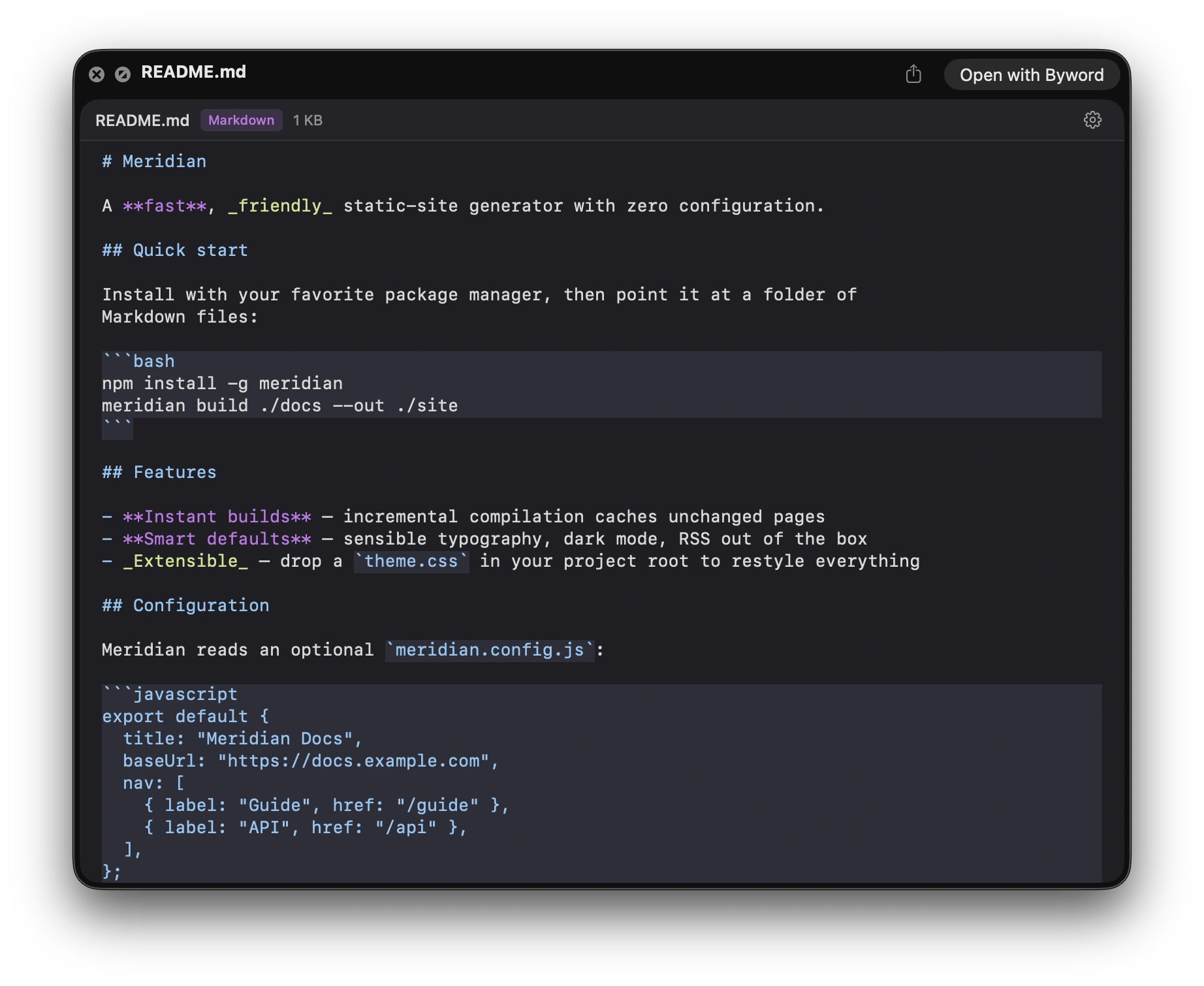
Swift, Python, YAML, Markdown. One key.
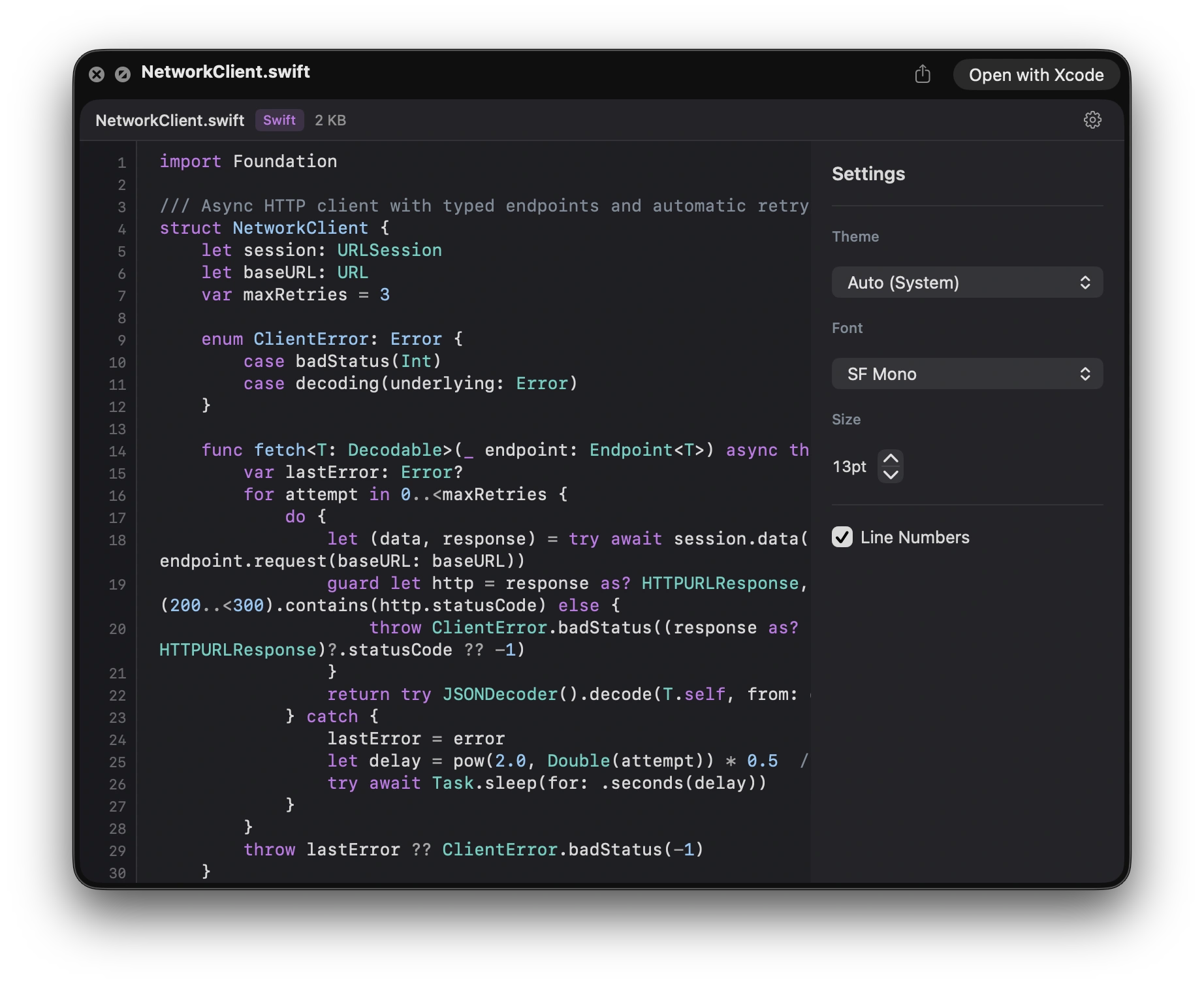
Five themes
Press Space. Pick a theme.
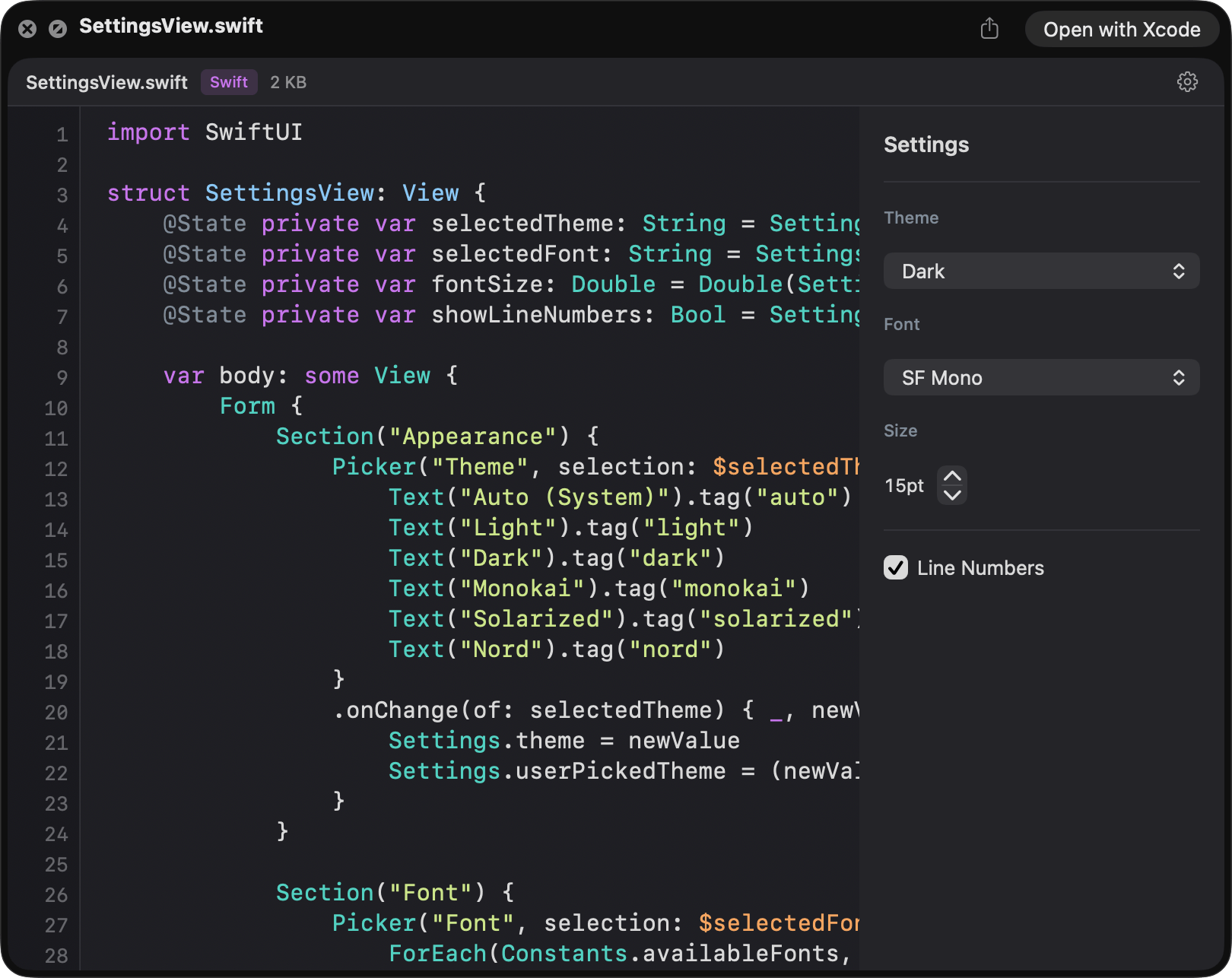
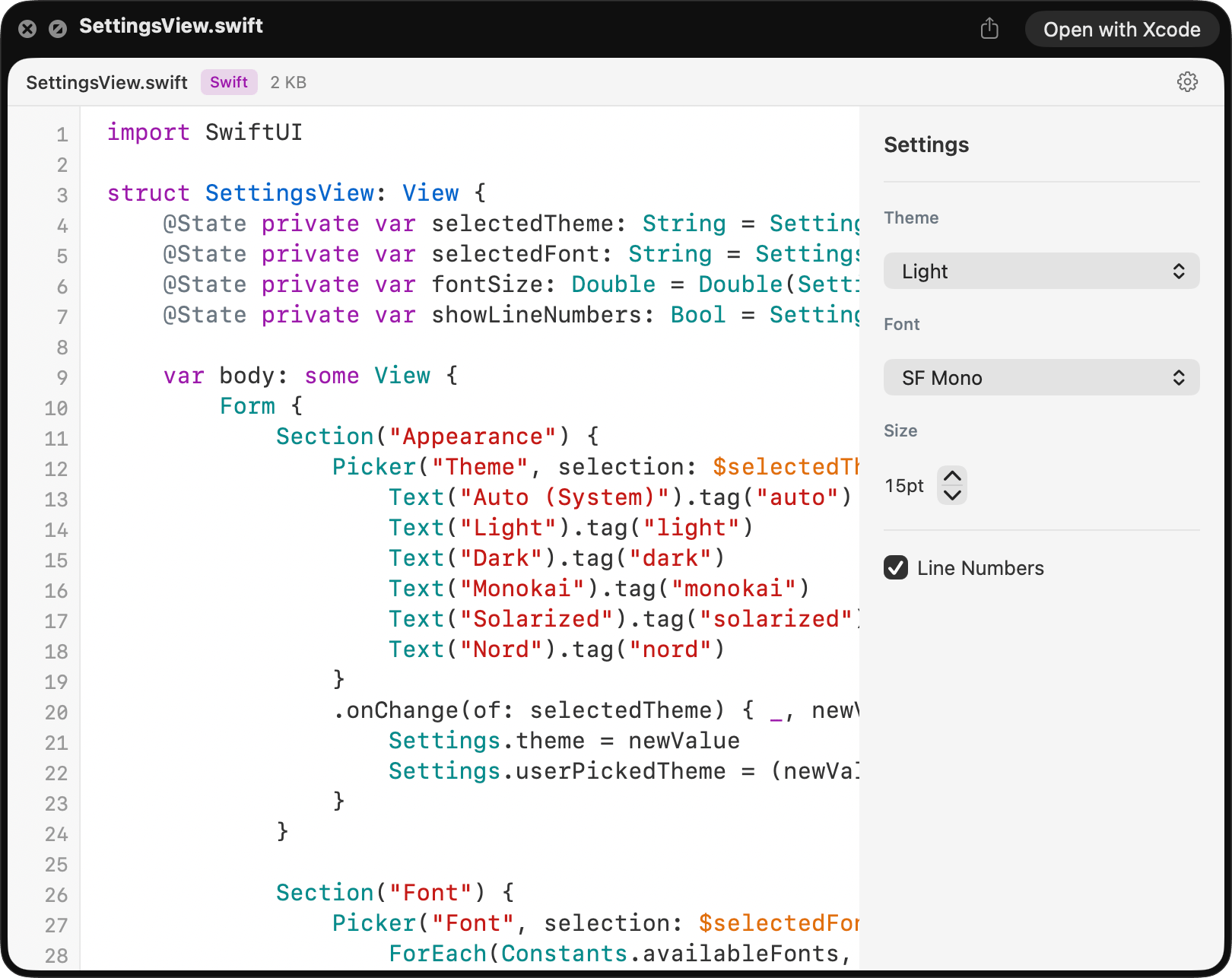
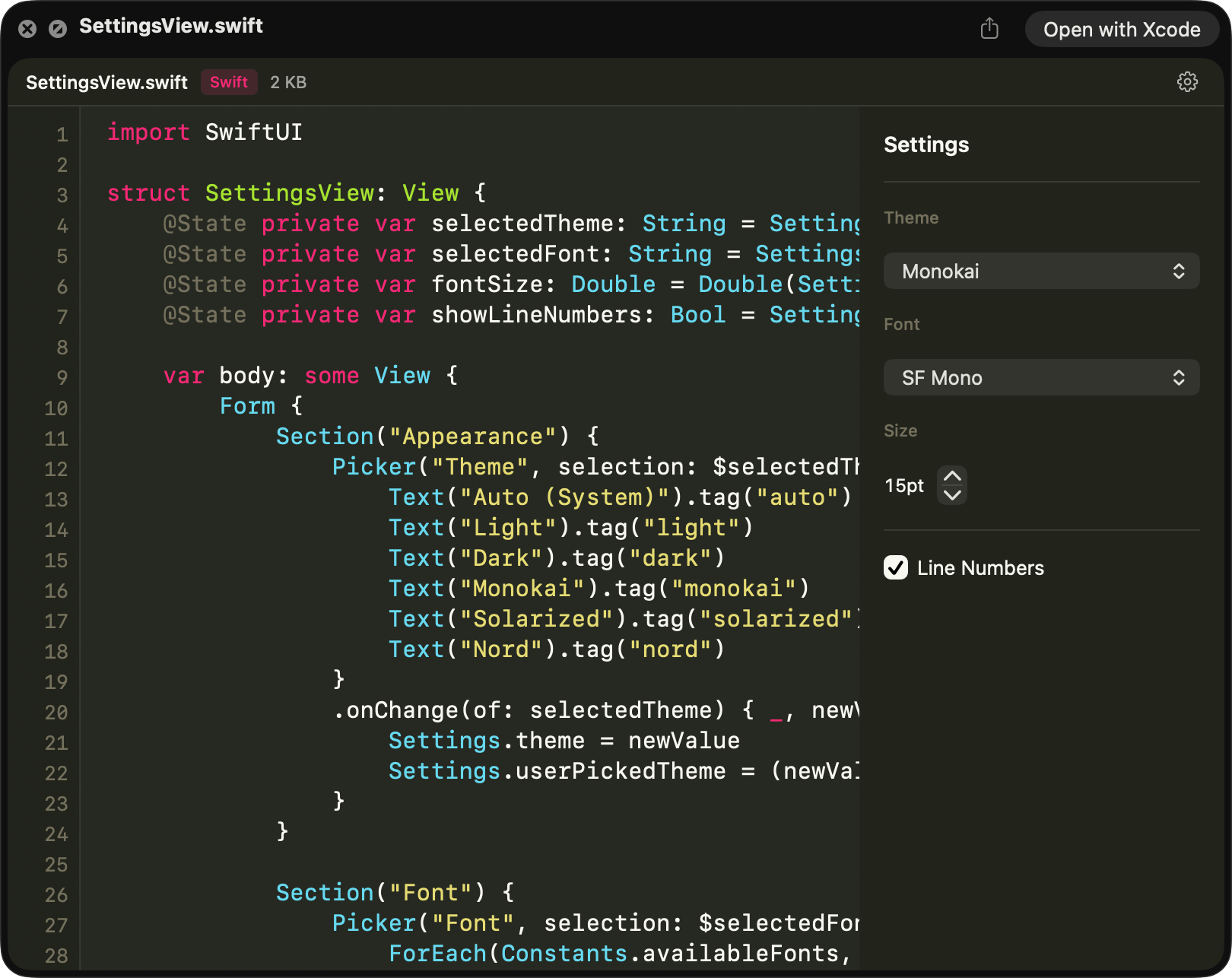
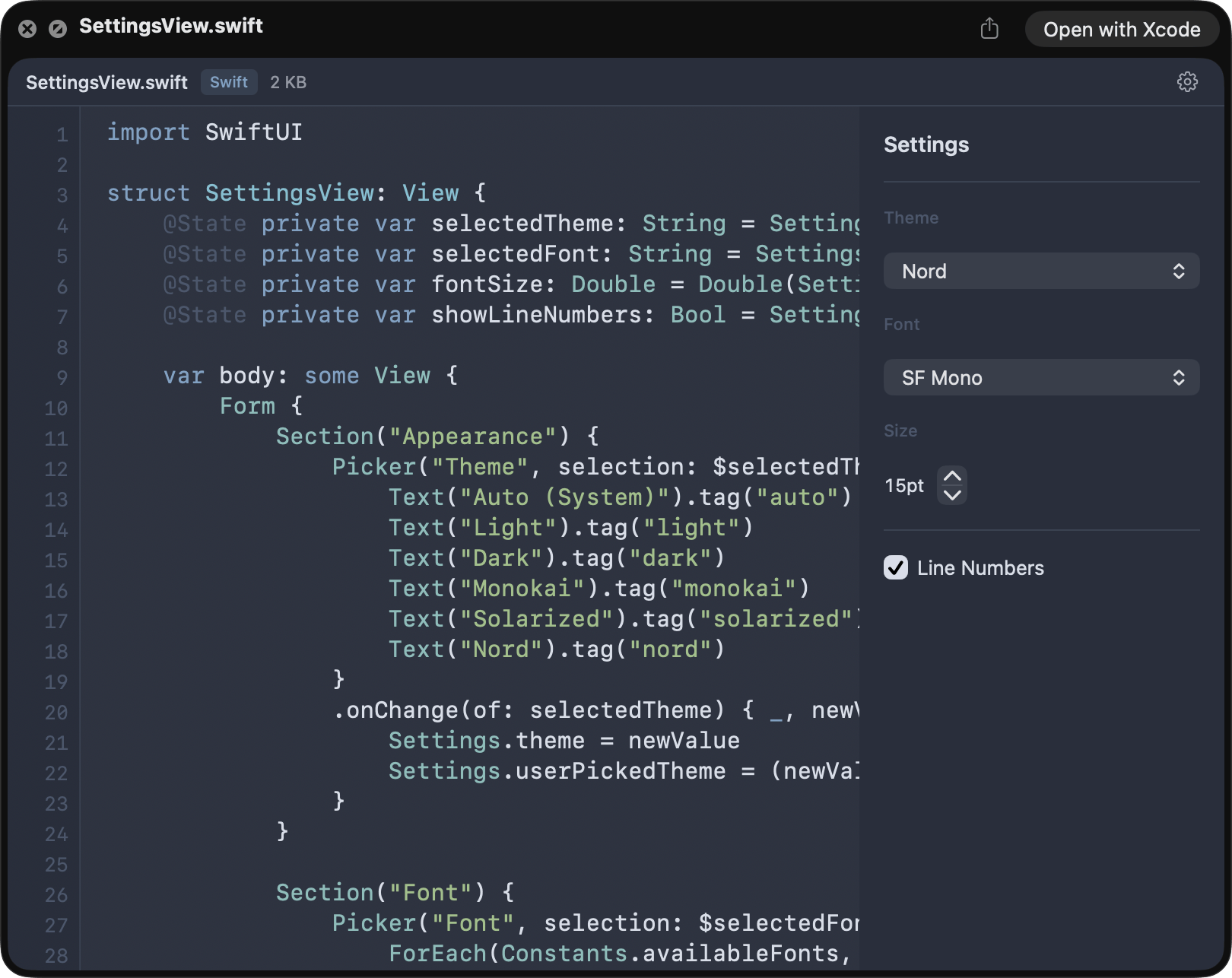
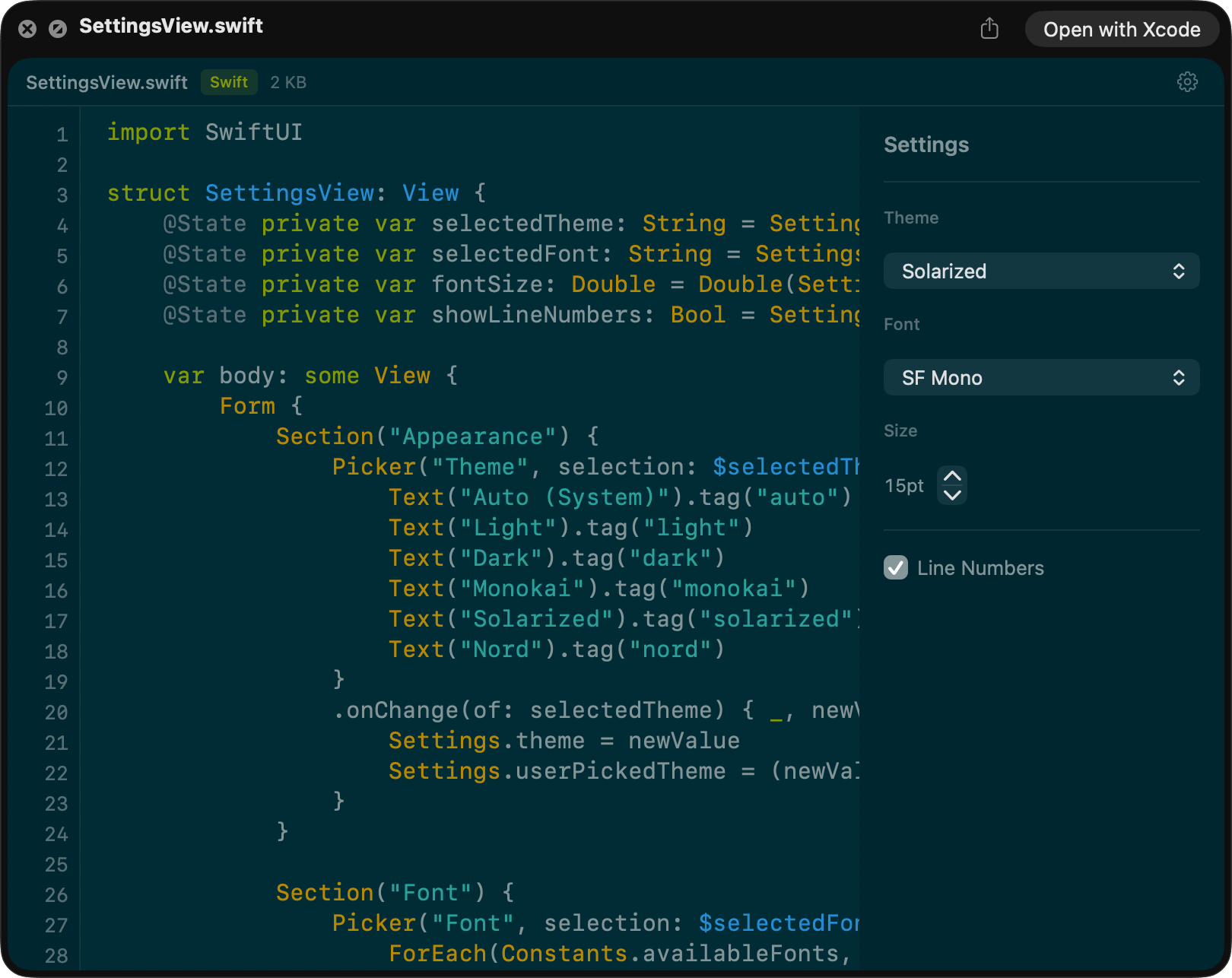
Dark theme
Under the hood
Native text, local engine, honest limits.
- 150+ file types out of the box
- Syntax Look supports 150+ registered code and text file types: Swift, Python, JS/TS, Rust, Go, Ruby, PHP, Java, C/C++, CSS, JSON, YAML, TOML, Markdown, and dozens of lock files, config files, and special filenames.
- Native rendering, not a web view
- Syntax Look tokenizes with highlight.js in JavaScriptCore, then draws to a real NSTextView. No WKWebView means no blank-screen crashes under memory pressure and full native text selection and Accessibility support.
- Fast on small files, careful on big ones
- Typical source files render with no perceptible lag. Files above 512 KB render their first 512 KB with a truncation banner, so Quick Look stays responsive and you still see real content instead of a placeholder.
- Smart encoding detection
- Detects UTF-8 with BOM, UTF-16 LE/BE with and without BOM, CP1252, ISO-Latin-1, and ASCII. Truncation is safe around multi-byte UTF-8 boundaries, so you never see half a character.
- Binary-safe for ambiguous extensions
- macOS can route plain `.ts` and `.mts` files to MPEG transport stream handlers. Syntax Look detects and rejects binary payloads before rendering so you get a clean fallback instead of garbled output.
- Five curated themes, live switching
- Light, Dark, Monokai, Solarized, and Nord. Change themes in the preview and everything re-renders, no app to open.
- Toggleable line numbers
- Native AppKit ruler view, not a pseudo-element. Snaps on and off from the preview gear menu.
- Plays nicely with Quick Look’s Open button
- The Quick Look panel’s built-in “Open with…” button still works exactly as macOS intends: one click sends the file to your default editor, IDE, or viewer. Syntax Look adds the readable preview; the system handles the handoff. Settings persist via an App Group so the container app and the extension stay in sync.
- Configurable typography
- SF Mono, Menlo, Fira Code, JetBrains Mono, and more. The font picker only shows monospace fonts actually installed on your Mac, with no silent fallbacks. Size 10–20 pt.
- Minimal sandbox, maximum privacy
- The Quick Look extension declares only App Group entitlements. No blanket file-system access, no network, no Accessibility permissions, no analytics. Universal binary for Apple silicon and Intel.
Supported file types
150+ file types. And if it’s text, we’ll try.
- Source code
-
- Swift (.swift)
- C / C++ (.c, .h, .cpp, .cc, .cxx, .hpp, .hxx)
- Objective-C (.m, .mm)
- Java (.java)
- Kotlin (.kt, .kts)
- Groovy (.groovy, .gradle)
- Scala (.scala)
- Python (.py, .pyw)
- Ruby (.rb)
- Perl (.pl, .pm)
- PHP (.php)
- Lua (.lua)
- R (.r)
- Rust (.rs)
- Go (.go)
- Dart (.dart)
- Zig (.zig)
- C# (.cs)
- F# (.fs)
- VB.NET (.vb)
- Haskell (.hs)
- Elixir (.ex, .exs)
- Erlang (.erl)
- Clojure (.clj)
- OCaml (.ml)
- Web
-
- JavaScript (.js, .mjs, .cjs)
- JSX (.jsx)
- TypeScript (.tsx, .cts)
- CSS (.css)
- SCSS (.scss)
- Sass (.sass)
- Less (.less)
- Vue (.vue)
- Svelte (.svelte)
- Astro (.astro)
- Config & data
-
- JSON (.json, .jsonc, .json5)
- YAML (.yaml, .yml)
- TOML (.toml)
- XML (.xml)
- INI / config (.ini, .cfg, .conf)
- Properties (.properties)
- Environment (.env, .env.local, .env.production)
- CSV / TSV (.csv, .tsv)
- Plist (.plist)
- Web manifest (.webmanifest)
- Databases & query
-
- SQL (.sql)
- GraphQL (.graphql, .gql)
- Prisma (.prisma)
- Protobuf (.proto)
- Docs & markup
-
- Markdown (.md)
- MDX (.mdx)
- reStructuredText (.rst)
- LaTeX (.tex, .latex)
- DevOps & infrastructure
-
- Dockerfile
- Terraform (.tf)
- HCL (.hcl)
- Nix (.nix)
- CMake (.cmake)
- Jenkinsfile
- Apple / Xcode
-
- Entitlements (.entitlements)
- Xcode config (.xcconfig)
- Project (.pbxproj)
- Storyboard (.storyboard)
- XIB (.xib)
- Strings (.strings, .stringsdict)
- Module map (.modulemap)
- Podspec / Gemspec
- Special files
-
- Makefile, GNUmakefile, CMakeLists.txt
- Gemfile, Rakefile, Podfile, Brewfile
- Vagrantfile, Procfile, Fastfile, Justfile
- .gitignore, .gitattributes, .gitmodules
- .dockerignore, .editorconfig
- .prettierrc, .eslintrc, .babelrc, .swiftlint.yml
- Lock & version files
-
- package-lock.json, yarn.lock, pnpm-lock.yaml
- Cargo.lock, go.sum, go.mod
- Gemfile.lock, Podfile.lock, Package.resolved
- .ruby-version, .node-version, .tool-versions
- Misc
-
- Diff / patch (.diff, .patch)
- Log (.log)
- Vim script (.vim)
The difference
Space bar, before and after.
The usual result
- Finder Quick Look for code is plain and hard to scan.
- You have to open an IDE just to inspect a file.
- No way to copy snippets from a preview.
- A code preview that needed broad file-system access to work.
Syntax Look
- Readable, highlighted code with your theme and font of choice.
- Press Space. Read. Move on.
- Selectable, copyable text. Grab a snippet without opening anything.
- App Group entitlements only. Nothing to grant, nothing to leak.
FAQ
What it does, and what macOS does.
- Does this replace my editor?
- No. Syntax Look is for quick inspection and triage. Read the file in Quick Look, grab the snippet you need, then use the Quick Look panel’s built-in “Open with…” button when you’re ready to edit, and macOS sends it to whatever editor you’ve configured as the default for that file type.
- Does it support TypeScript?
- Yes for text-based TypeScript files. `.tsx` and `.cts` are generally reliable. On some systems, plain `.ts` and `.mts` may be routed by macOS as MPEG transport streams. Syntax Look detects and rejects media payloads safely.Why that happens, and which files preview reliably
- How do I preview code files on a Mac?
- Select the file in Finder and press Space. macOS hands it to Syntax Look, which renders it as source code Quick Look output—highlighted, selectable, with line numbers if you want them. No app to launch and nothing to configure beyond enabling the extension once.If Quick Look still looks plain after installing
- Does it work offline?
- Yes. Syntax Look is fully local. No network access is ever required.
- Is my code uploaded anywhere?
- No. All processing happens on your Mac using a bundled highlight.js runtime in JavaScriptCore.
- Does it help with AI-assisted coding?
- Yes, and that’s a core reason to have it. Native text selection means you can press Space on a file, read with syntax highlighting, select the function or error message you need, ⌘-C, and paste straight into Claude, Cursor, Copilot, or any LLM chat. No editor launch, no file open. Syntax Look itself doesn’t talk to any AI. It just makes the read-select-copy loop fast enough to be worth it.
- Which Macs does it support?
- macOS 14 Sonoma or later, on both Apple silicon and Intel Macs. Universal binary.